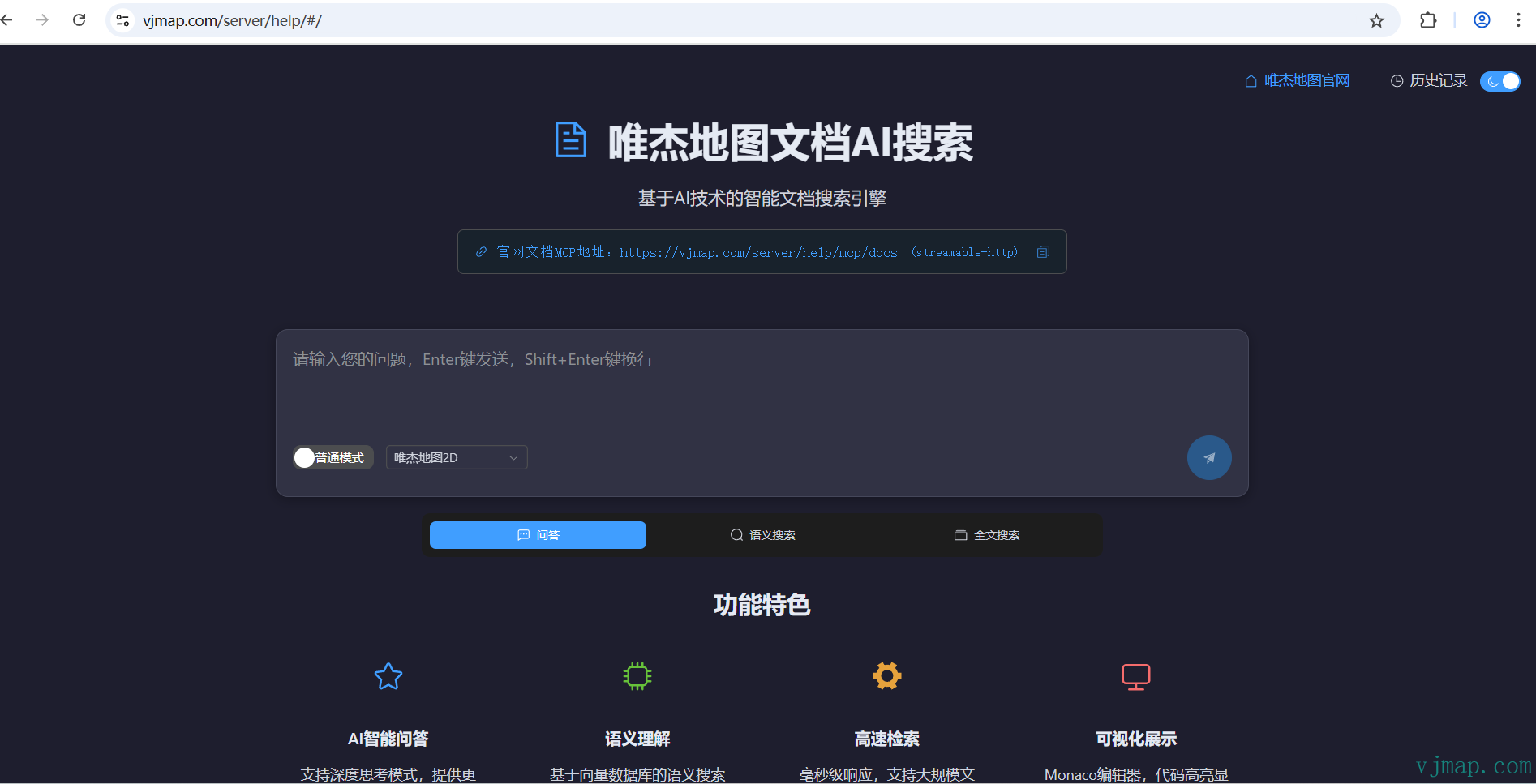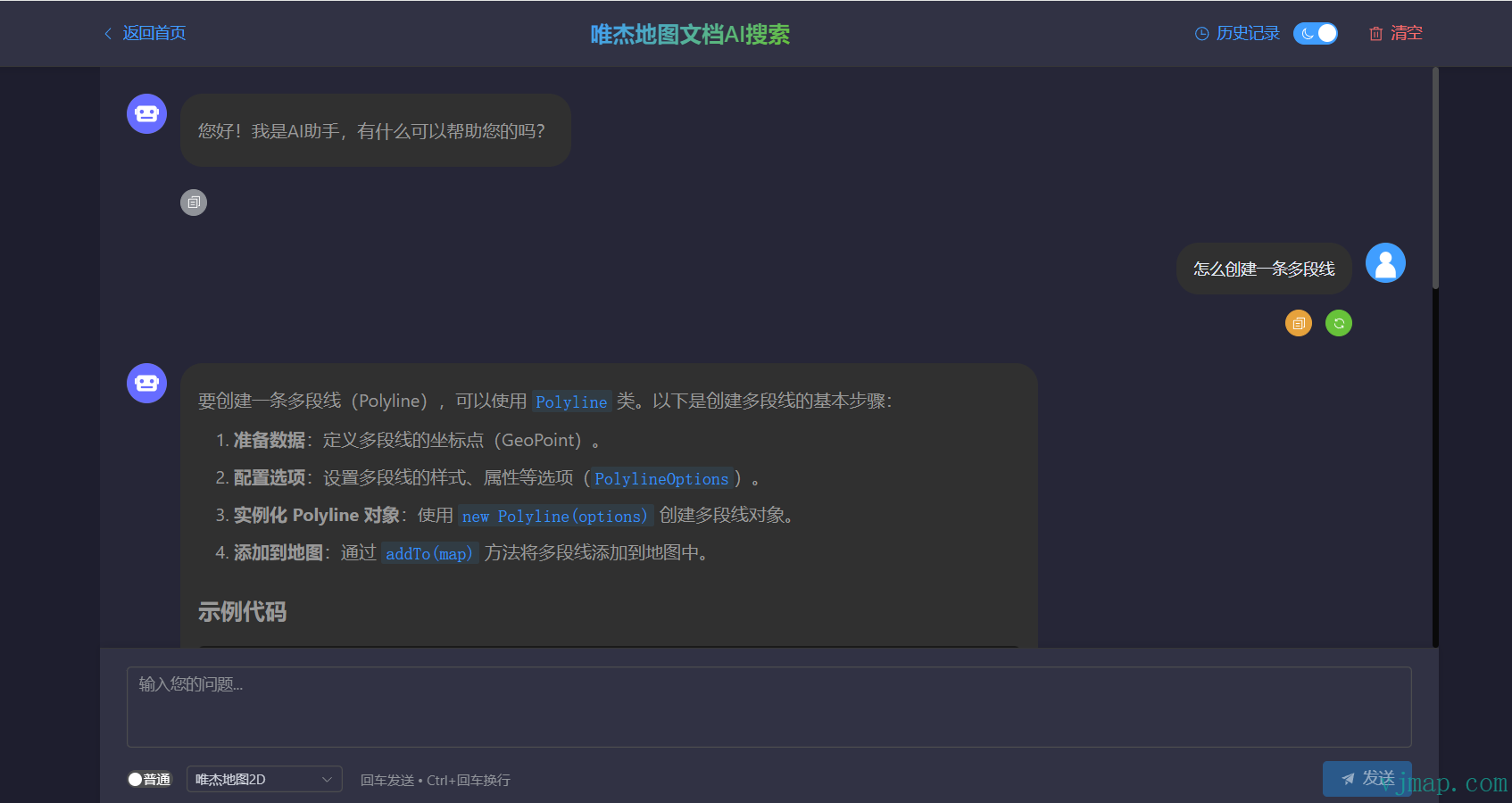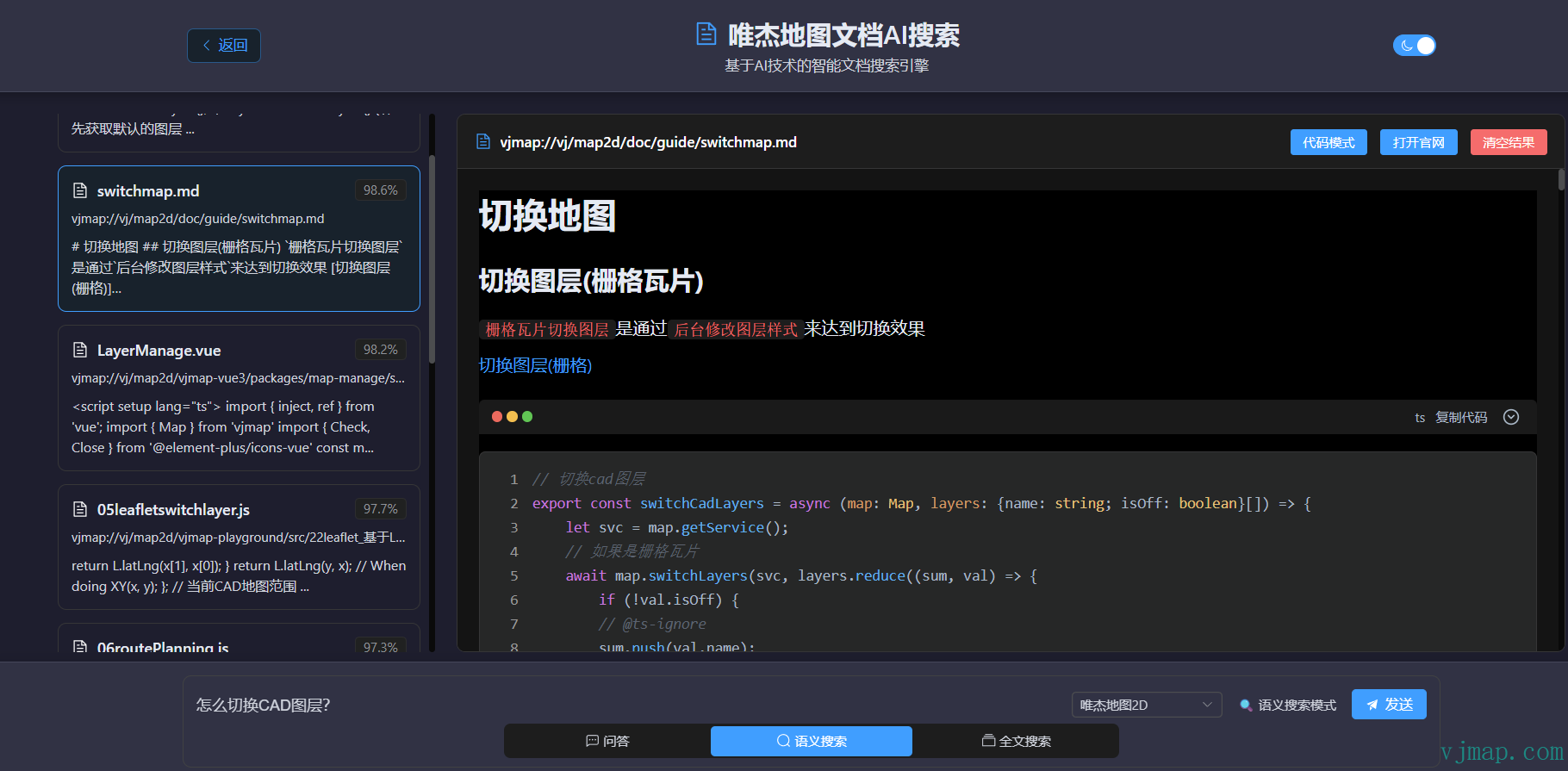
# Documentation AI Assistant (Essential for Developers)
MCP Service URL: https://vjmap.com/server/aimcp/mcp (all proudct)
vjmap MCP Service URL: https://vjmap.com/server/aimcp/mcp?products=map2d
vjmap3D MCP Service URL: https://vjmap.com/server/aimcp/mcp?products=map3d
vjcad MCP Service URL: https://vjmap.com/server/aimcp/mcp?products=vjcad
vjmap2/3D MCP Service URL: https://vjmap.com/server/aimcp/mcp?products=map2d,map3d
VJMap Agent (opens new window) https://vjmap.com/server/aiagent/app/agents
VJMap Documentation AI Search (opens new window) https://vjmap.com/server/help/#/
VJMap All Proudct Search (opens new window) https://vjmap.com/server/aimcp/
VJMap Documentation MCP Deep Search (opens new window) https://vjmap.com/server/_mapviewer?aidoc=true
VJMap Documentation AI Search is an intelligent development assistant built for developers. When doing secondary development with VJMAP, quickly finding accurate information from the vast API documentation, sample code, and technical materials has always been a challenge for developers. VJMap Documentation AI Search addresses this need—an intelligent knowledge base search system designed specifically for vjmap SDK developers. Through the advanced MCP (Model Context Protocol), it provides developers with an unprecedented documentation retrieval and AI-assisted development experience.
# 📚 Product Value & Solving Developer Pain Points
# Documentation Retrieval Challenges Developers Face
- Scattered API Documentation: The vjmap SDK is feature-rich, with documentation and examples distributed across different locations
- Hard to Find Sample Code: When you need a specific feature, it's difficult to quickly locate the relevant JavaScript examples
- Lack of Semantic Understanding: Traditional search only matches keywords and cannot understand development intent
- Context Loss: Code snippets lack complete implementation context
- High Learning Cost: New developers need significant time to familiarize themselves with the API system
# Core Product Value
VJMap Documentation AI Search revolutionizes the development experience through:
- Intelligent Semantic Search: Understands development intent, not just simple keyword matching
- MCP Protocol Integration: Standardized AI tool invocation, seamlessly integrated into the development workflow
- Real-time AI Dialogue: Get development guidance as if consulting a technical expert
# 🛠️ MCP Protocol: The Developer's Super Tool
# What is the MCP Protocol
MCP (Model Context Protocol) is a standardized AI tool invocation protocol that allows AI models to access external tools and data sources in a structured way.
# Core MCP Tools Explained
VJMap help documentation MCP service URL: https://vjmap.com/server/aimcp/mcp.
# How to Use MCP Tools
You can add the VJMap Documentation AI Search MCP Tool in AI editors such as Cursor (recommended), Trae, or software like Cherry Studio. The following uses Cursor as an example:
vjmap
{
  "mcpServers": {
    "vjdoc": {
      "url": "https://vjmap.com/server/aimcp/mcp?products=map2d"
    }
  }
}
2
3
4
5
6
7
vjmap3d
{
  "mcpServers": {
    "vjdoc": {
      "url": "https://vjmap.com/server/aimcp/mcp?products=map3d"
    }
  }
}
2
3
4
5
6
7
vjcad
{
  "mcpServers": {
    "vjdoc": {
      "url": "https://vjmap.com/server/aimcp/mcp?products=vjcad"
    }
  }
}
2
3
4
5
6
7
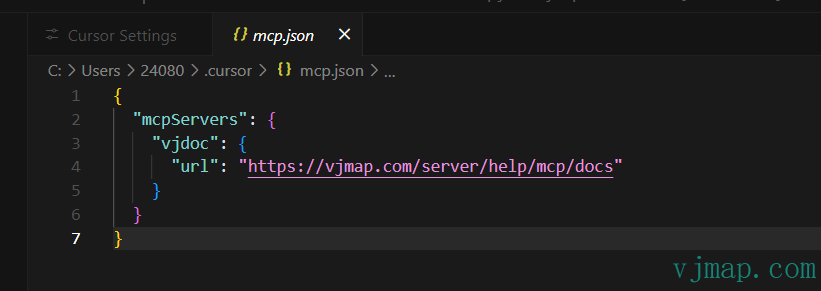
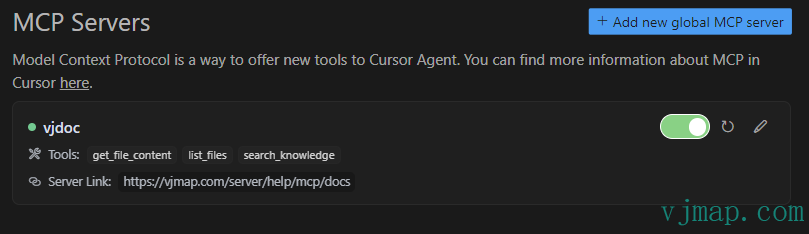
Usage Example
When chatting with AI in Cursor, ask directly:
Help me find the example code for creating markers in vjmap
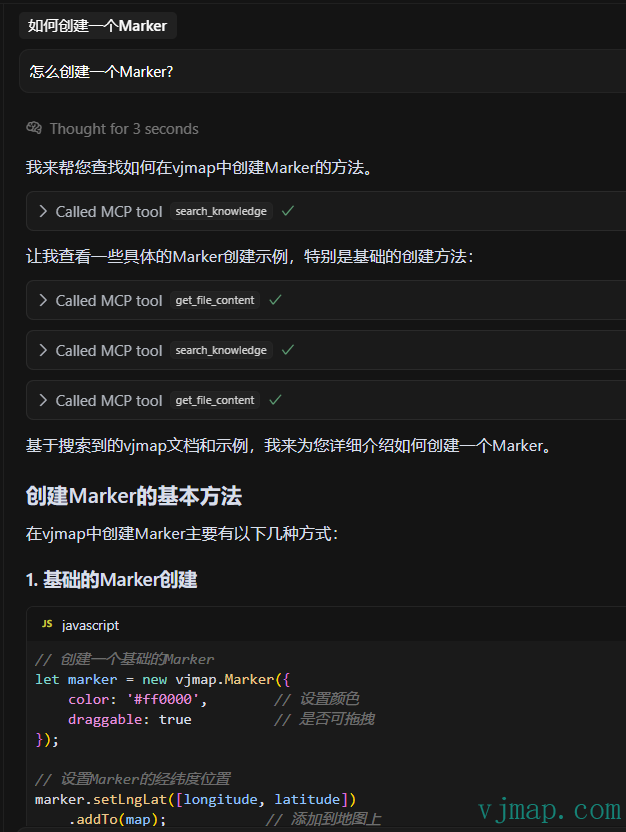
The AI will automatically invoke MCP tools to:
- Search for relevant documentation fragments
- Retrieve complete example code
- Provide detailed implementation instructions
Note: If the AI does not automatically invoke MCP tools, you can explicitly request it in your question, for example:
Please query the vjmap help documentation on how to create a Marker?
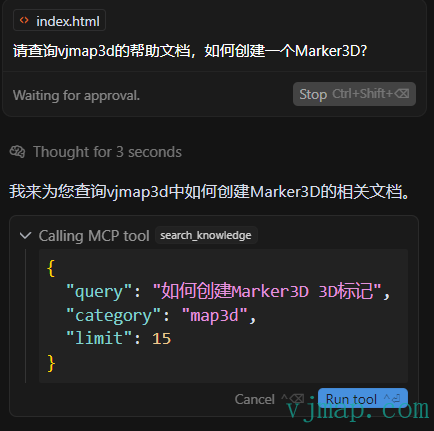
Documentation search defaults to VJMap 2D. For VJMap 3D documentation, the AI will automatically determine. You can also force specify:
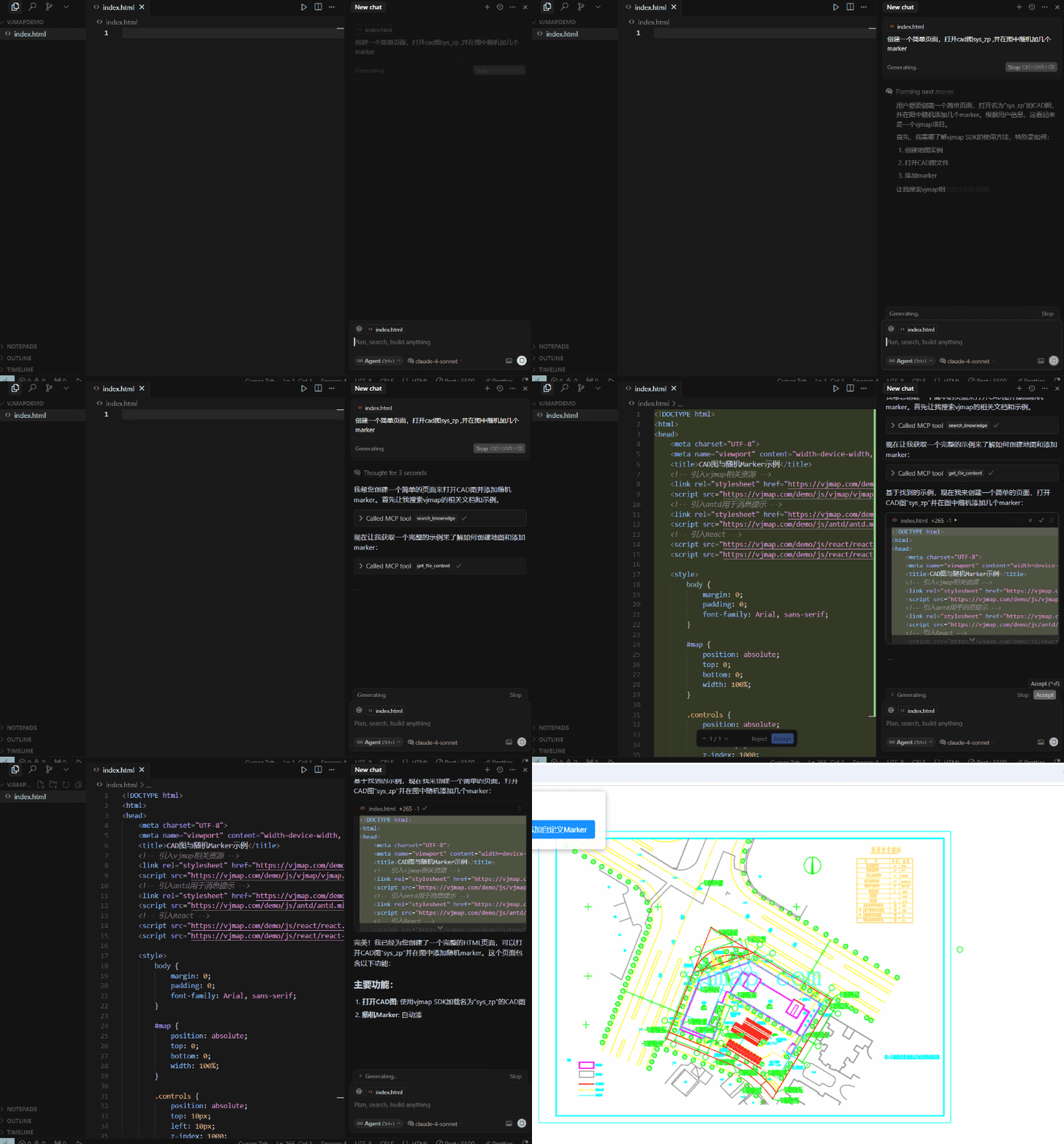
Please query the vjmap3d help documentation on how to create a Marker3D?
# 🛠️ AI Dialogue
Features:
- Multi-mode Switching: One-click switch between AI dialogue, semantic search, and full-text search modes
- Smart Search Box: Supports natural language input, automatically adapts to different search types
- Knowledge Base Categories: Choose VJMap 2D, 3D, or all documentation libraries
- Deep Thinking Mode: Enable AI deep analysis to display reasoning process
- Responsive Layout: Adapts to desktop and mobile devices
Official URL: VJMap Documentation AI Search (opens new window) https://vjmap.com/server/help/#/