
div Overlay
DivOverlay creates a div overlay within a geographic bounds that scales with zoom level.
For SVG content, set viewBox="0 0 width height" and preserveAspectRatio="xMinYMin meet", and set the updateDivSize option to true.
Common Methods
| Method | Description |
|---|---|
| setVisible | Set visibility (show/hide) |
| addTo | Add to map |
| remove | Remove |
| updateBounds | Update bounds |
| updateSize | Update size |
Option Types
| Type | Description |
|---|---|
| bounds | Bounds, four point coordinates |
| element | HTML element |
| width | Element width |
| height | Element height |
| minZoom | Minimum zoom level to display |
| maxZoom | Maximum zoom level to display |
| maxPitch | Maximum pitch angle to display |
| updateDivSize | Auto-update div size (set to true if SVG needs to scale) |
| maxDivSize | Maximum div size when scaling; beyond this, pixel scaling is used |
Usage
const imageWidth = 1280; // Image width
const imageHeight = 905; // Image height
const image = document.createElement( "img" );
image.style.position = "absolute"; // Must add positioning when using multiple div overlays, otherwise other drawings may be incorrect
image.style.left = '0px';
image.style.top = '0px';
image.style.width = imageWidth + "px";
image.style.height = imageHeight + "px";
image.style.opacity = '0.8';
image.style.zIndex = '-1';
image.src = "https://vjmap.com/static/assets/images/park.jpg"
image.style.pointerEvents = "none"

// Add a DIV Image overlay
const divOverlay = new vjmap.DivOverlay({
    bounds: points, // Four point positions
    element: image, // DIV element
    width: imageWidth,// DIV width
    height: imageHeight,// DIV height
    minZoom: 5, // Minimum zoom level to display (optional)
    maxZoom: 15 // Maximum zoom level to display (optional)
})
divOverlay.addTo(map);
Runs in a sandbox against the VJMAP public demo service
// --div overlay drawing image--
// Map service object
let svc = new vjmap.Service(env.serviceUrl, env.accessToken)
// Open map
let res = await svc.openMap({
    mapid: env.exampleMapId, // Map ID
    mapopenway: vjmap.MapOpenWay.GeomRender, // Open with geometry data rendering
    style: vjmap.openMapDarkStyle() // Use dark background style when div has dark background
})
if (res.error) {
    // If open fails
    message.error(res.error)
}
// Get map extent
let mapExtent = vjmap.GeoBounds.fromString(res.bounds);
// Create geometric projection coordinate system based on map extent
let prj = new vjmap.GeoProjection(mapExtent);
// Map object
let map = new vjmap.Map({
    container: 'map', // DIV container ID
    style: svc.rasterStyle(), // Style, raster style here
    center: prj.toLngLat(mapExtent.center()), // Set map center
    zoom: 9, // Set map zoom level,
    pitch: 30, // Pitch angle
    renderWorldCopies: false // Do not display multi-screen map
});
// Associate service object and projection object
map.attach(svc, prj);
// Scale map to full extent based on map bounds
//map.fitMapBounds();
await map.onLoad();
const mapBounds = map.getGeoBounds(0.001);
const colors = ["#FF0000", "#00FF00", "#0000FF", "#FFFF00"];
const points = [[mapBounds.min.x, mapBounds.min.y], [mapBounds.min.x, mapBounds.max.y], [mapBounds.max.x, mapBounds.max.y], [mapBounds.max.x, mapBounds.min.y]]
const markers = []
// Add four overlays for position adjustment
for(let c = 0; c <  colors.length; c++) {
    const marker = new vjmap.Marker({
        color: colors[c],
        draggable: true
    });
    marker.setLngLat(map.toLngLat(points[c])).addTo(map);
    marker.on('drag', e => {
        updateBounds();
    });
    markers.push(marker);
}
const imageWidth = 1280; // Image width
const imageHeight = 905; // Image height
const image = document.createElement( "img" );
image.style.position = "absolute"; // Must add positioning when using multiple div overlays, otherwise other drawings may be incorrect
image.style.left = '0px';
image.style.top = '0px';
image.style.width = imageWidth + "px";
image.style.height = imageHeight + "px";
image.style.opacity = '0.8';
image.style.zIndex = '-1';
image.src = "https://vjmap.com/static/assets/images/park.jpg"
image.style.pointerEvents = "none"
// Add a DIV Image overlay
const divOverlay = new vjmap.DivOverlay({
    bounds: points, // Four point positions
    element: image, // DIV element
    width: imageWidth,// DIV width
    height: imageHeight,// DIV height
    minZoom: 5, // Minimum zoom level to display (optional)
    maxZoom: 15 // Maximum zoom level to display (optional)
})
divOverlay.addTo(map);
const updateBounds = () => {
    // Update position
    divOverlay.updateBounds([map.fromLngLat(markers[0].getLngLat()), map.fromLngLat(markers[1].getLngLat()), map.fromLngLat(markers[2].getLngLat()), map.fromLngLat(markers[3].getLngLat())])
}
map.logInfo("Drag the four points to adjust image position");
Examples
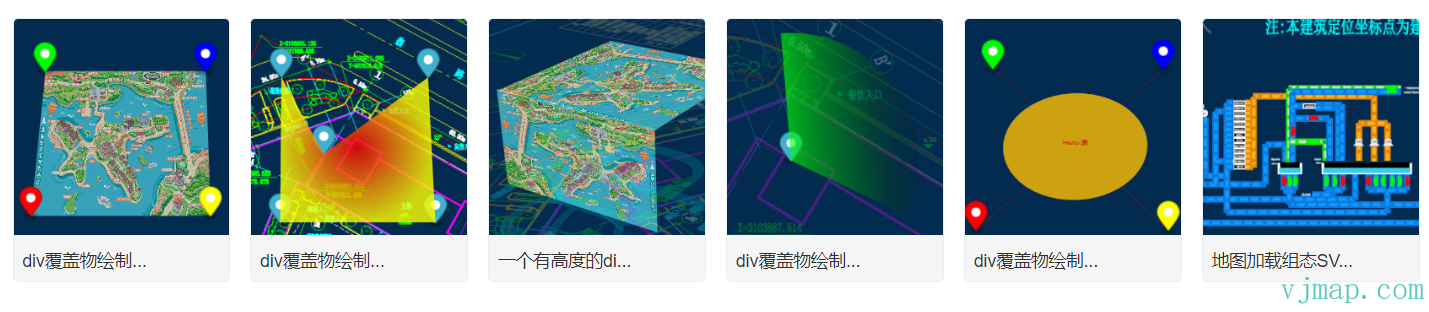
div overlay drawing gradient polygon
div overlay drawing radar effect
div overlay drawing SVG graphics
Map loading SCADA SVG graphics
Type Definitions
/**
 * Creates a div overlay within a geographic bounds that scales with zoom level
 * Note: For SVG, set viewBox="0 0 width height" preserveAspectRatio="xMinYMin meet", and set updateDivSize option to true
 **/
export  class DivOverlay {
    options: DivOverlayOptions;
    _map?: Map;
    isShow: boolean;
    minZoom: number;
    maxZoom: number;
    maxPitch: number;
    isRemoved: boolean;
    parentContainer?: HTMLElement;
    constructor(options: DivOverlayOptions);
    addTo(map: Map, insertId?: string | HTMLElement): void;
    private _isShow;
    private _add;
    private _remove;
    /**
     * Set visibility (show/hide)
     * @param visible Whether to show
     * @param isDisplay If true, use style display to control visibility, DOM remains in document. If false, dynamically add/remove from document
     */
    setVisible(visible?: boolean, isDisplay?: boolean): void;
    remove(): void;
    updateBounds(bounds: [GeoPointLike, GeoPointLike, GeoPointLike, GeoPointLike] | GeoBounds): void;
    updateSize(width: number, height: number): void;
    private _updateZoom;
    private _updateDivSize;
    private _adjustCoord;
    private _update;
}

export  interface DivOverlayOptions {
    /** Bounds, four point coordinates */
    bounds: [GeoPointLike, GeoPointLike, GeoPointLike, GeoPointLike] | GeoBounds;
    /** HTML element */
    element: HTMLElement;
    /** Element width */
    width: number;
    /** Element height */
    height: number;
    /** Maximum zoom level to display */
    minZoom?: number;
    /** Minimum zoom level to display */
    maxZoom?: number;
    /** Maximum pitch angle to display */
    maxPitch?: number;
    /** Auto-update div size (set to true if SVG needs to scale) */
    updateDivSize?: boolean;
    /** Maximum div size when scaling; beyond this, pixel scaling is used */
    maxDivSize?: number;
}
Was this page helpful?Thanks for the feedback!