
Popup
Popup styling follows standard CSS conventions. The main consideration is how to add Popup events for
a specific layerora specific marker.
Constructor Parameters
| Name | Type | Description |
|---|---|---|
| options.closeButton | boolean(default true) | Close (x) button in the top-right corner of the popup |
| options.closeOnClick | boolean(default true) | When true, clicking elsewhere on the map closes the Popup |
| options.anchor | String | 'top' , 'bottom' , 'left' , 'right' , 'top-left' , 'top-right' , 'bottom-left' , and 'bottom-right' for docking position |
| options.offset | (number/PointLike/Object) | number for simple distance, pointlike for point-like array; object is for the anchor property above, example below |
var markerHeight = 50, markerRadius = 10, linearOffset = 25;
var popupOffsets = {
 'top': [0, 0],
 'top-left': [0, 0],
 'top-right': [0, 0],
 'bottom': [0, -markerHeight],
 'bottom-left': [linearOffset, (markerHeight - markerRadius + linearOffset) * -1],
 'bottom-right': [-linearOffset, (markerHeight - markerRadius + linearOffset) * -1],
 'left': [markerRadius, (markerHeight - markerRadius) * -1],
 'right': [-markerRadius, (markerHeight - markerRadius) * -1]
 };
var popup = new vjmap.Popup({offset:popupOffsets})
  .setLngLat(e.lngLat)
  .setHTML("<h1>Hello World!</h1>")
  .addTo(map);
Common Methods
| Method | Parameters | Returns | Description |
|---|---|---|---|
| addTo(map) | map | Popup.this | Add this Popup to the map |
| isOpen | none | boolean | Returns true when open, false when closed |
| remove() | none | Popup.this | Remove this Popup from the map |
| getLngLat() | none | Lnglat | Return the longitude/latitude object of this popup |
| setLngLat(lnglat) | Lnglat | Popup.this | Set the longitude/latitude of this popup |
| setText(text) | String | Popup.this | Set the text content of this Popup |
| setHTML(html) | String | Popup.this | Set simple HTML content |
| setDOMContent(htmlNode) | Node | Popup.this | var div = window.document.createElement('div');div.innerHTML = 'Hello, world!'; |
Basic Usage
// Parameter notes:
// (1) closeButton: true shows a close button;
// (2) closeOnClick: true closes the popup when the map is clicked;
// (3) offset: pixel offset of the popup position relative to its top-left corner;
// (4) anchor: docking point, values [top,bottom,left,right,top-left,top-right,bottom-left,bottom-right]; if not set, adjusts dynamically based on map container;
// (5) autoPan: when true, pans the map to keep the popup visible when it would otherwise be off-screen; applies only to fixed popups;
const popup = new vjmap.Popup({ closeOnClick: false, closeButton: true, anchor: "bottom" });
popup.setHTML('Hello, VJMap!')
    .setLngLat(map.getCenter())
    .addTo(map);

// Remove after some time
// setTimeout(() => popup.remove(), 30000);

// Click map to show popup
const popup2 = new vjmap.Popup();
popup2.setHTML("VJMap");
map.on("click", (e) => popup2.setLngLat(e.lngLat).addTo(map));
Runs in a sandbox against the VJMAP public demo service
// --Add and remove info window--
// Map service object
let svc = new vjmap.Service(env.serviceUrl, env.accessToken)
// Open map
let res = await svc.openMap({
    mapid: env.exampleMapId, // Map ID
    mapopenway: vjmap.MapOpenWay.GeomRender, // Open with geometric data rendering
    style: vjmap.openMapDarkStyle() // Use dark background style when div has dark background
})
if (res.error) {
    // If open fails
    message.error(res.error)
}
// Create geometric projection coordinate system based on map extent
let prj = new vjmap.GeoProjection(res.bounds);
// Map object
let map = new vjmap.Map({
    container: 'map', // DIV container ID
    style: svc.rasterStyle(), //svc.rasterBlankStyle(0, 24), // Style, raster style here
    center: prj.toLngLat(prj.getMapExtent().center()), // Set map center
    zoom: 2, // Set zoom level
    renderWorldCopies: false // Do not show multi-world copies
});
// Associate service and projection objects
map.attach(svc, prj);
// Fit map to full extent based on map bounds
map.fitMapBounds();
await map.onLoad();
// Parameter notes:
// (1) closeButton: true shows a close button;
// (2) closeOnClick: true closes the popup when the map is clicked;
// (3) offset: pixel offset of the popup position relative to its top-left corner;
// (4) anchor: docking point, values [top,bottom,left,right,top-left,top-right,bottom-left,bottom-right]; if not set, adjusts dynamically based on map container;
// (5) autoPan: when true, pans the map to keep the popup visible when it would otherwise be off-screen; applies only to fixed popups;
const popup = new vjmap.Popup({ closeOnClick: false, closeButton: true, anchor: "bottom" });
popup.setHTML('Hello, VJMap!')
    .setLngLat(map.getCenter())
    .addTo(map);
// Remove after some time
setTimeout(() => popup.remove(), 30000);
// Click map to show popup
const popup2 = new vjmap.Popup();
popup2.setHTML("VJMap");
map.on("click", (e) => popup2.setLngLat(e.lngLat).addTo(map));
Popup-Related Examples
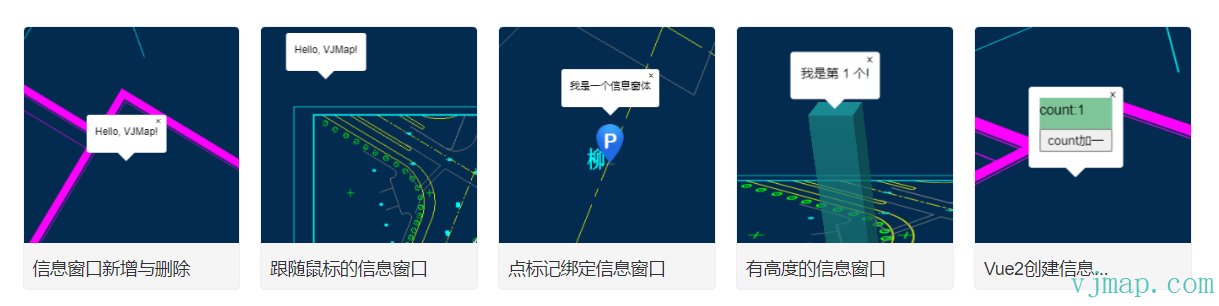
Info window that follows mouse
Type Definitions
 /**
   * Popup
   */
  export class Popup extends Evented {

    constructor(options?: {
            closeButton?: boolean | undefined;

            closeOnClick?: boolean | undefined;

            /**
             * @param {boolean} [options.closeOnMove=false] If true, the popup closes when the map moves.
             */
            closeOnMove?: boolean | undefined;

            /**
             * @param {boolean} [options.focusAfterOpen=true] If true, the popup will try to focus the first focusable element inside it.
             */
            focusAfterOpen?: boolean | null | undefined;

            anchor?: Anchor | undefined;

            offset?: Offset | null | undefined;

            className?: string | undefined;

            maxWidth?: string | undefined;
      });


      /**
       * Set height
       * @param height Height value
       */
      setHeight(height: number): Popup;

      /**
       * Get height value
       */
      getHeight(): number | undefined;


      addTo(map: vjmap.Map): this;

      isOpen(): boolean;

      remove(): this;

      getLngLat(): vjmap.LngLat;

      /**
       * Set the popup anchor position and move the popup to that anchor. Replaces trackPointer() behavior.
       *
       * @param lnglat Position to set as the popup anchor.
       */
      setLngLat(lnglat: LngLatLike): this;

      /**
       * On pointer devices, track the popup anchor to the cursor position (hidden on touch screens). Replaces setLngLat behavior.
       * For most cases, also set "closeOnClick" and "closeButton" to "false" here.
       */
      trackPointer(): this;

      /** Returns the `Popup`'s HTML element. */
      getElement(): HTMLElement;

      setText(text: string): this;

      setHTML(html: string): this;

      setDOMContent(htmlNode: Node): this;

      getMaxWidth(): string;

      setMaxWidth(maxWidth: string): this;

      /**
       * Add a CSS class to the popup container element.
       *
       * @param {string} className Non-empty string with CSS class name to add to the popup container
       *
       * @example
       * let popup = new vjmap.Popup()
       * popup.addClassName('some-class')
       */
      addClassName(className: string): void;

      /**
       * Remove a CSS class from the popup container element.
       *
       * @param {string} className Non-empty string with CSS class name to remove from the popup container
       *
       * @example
       * let popup = new vjmap.Popup()
       * popup.removeClassName('some-class')
       */
      removeClassName(className: string): void;

      /**
       * Set offset
       *
       * @param offset Sets the popup's offset.
       * @returns {Popup} `this`
       */
      setOffset(offset?: Offset | null): this;

      /**
       * Add or remove the given CSS class on the popup container depending on whether it currently has that class.
       *
       * @param {string} className Non-empty string with CSS class name to add/remove
       *
       * @returns {boolean} if the class was removed return false, if class was added, then return true
       *
       * @example
       * let popup = new vjmap.Popup()
       * popup.toggleClassName('toggleClass')
       */
      toggleClassName(className: string): void;
  }
Was this page helpful?Thanks for the feedback!