
div覆盖物
DivOverlay 在一个地理范围内创建一个随缩放而缩放的div的覆盖物
如果是svg,则需设置为 viewBox="0 0 width height" preserveAspectRatio="xMinYMin meet", updateDivSize选项设置为true
常用方法
| 方法 | 描述 |
|---|---|
| setVisible | 设置是否显示隐藏 |
| addTo | 增加至地图 |
| remove | 移除 |
| updateBounds | 更新范围 |
| updateSize | 更新大小 |
菜单项类型
| 类型 | 描述 |
|---|---|
| bounds | 范围,四个点坐标 |
| element | html元素 |
| width | 元素宽 |
| height | 元素高 |
| minZoom | 显示最大级别 |
| maxZoom | 显示最小级别 |
| maxZoom | 显示最小级别 |
| maxPitch | 显示最大倾斜角 |
| updateDivSize | 自动更新div大小,(如果需要svg放大,需要设置为true) |
| maxDivSize | 放大div时,最大的div大小,超过了就像素放大了 |
用法
const imageWidth = 1280; // 图像宽
const imageHeight = 905; // 图像高
const image = document.createElement( "img" );
image.style.position = "absolute"; // 有多个divoverlay时,一定要加定位,否则会导致其他绘制不对
image.style.left = '0px';
image.style.top = '0px';
image.style.width = imageWidth + "px";
image.style.height = imageHeight + "px";
image.style.opacity = '0.8';
image.style.zIndex = '-1';
image.src = "https://vjmap.com/static/assets/images/park.jpg"
image.style.pointerEvents = "none"

// 增加一个DIV的Image覆盖物
const divOverlay = new vjmap.DivOverlay({
    bounds: points, // 四个点的位置
    element: image, // DIV 元素
    width: imageWidth,// DIV 宽
    height: imageHeight,// DIV 高
    minZoom: 5, // 能显示的最小级别 (可以不填)
    maxZoom: 15 // 能显示的最大级别 (可以不填)
})
divOverlay.addTo(map);
在沙箱中运行,调用唯杰地图公共演示服务
// --div覆盖物绘制图片--
// 地图服务对象
let svc = new vjmap.Service(env.serviceUrl, env.accessToken)
// 打开地图
let res = await svc.openMap({
    mapid: env.exampleMapId, // 地图ID
    mapopenway: vjmap.MapOpenWay.GeomRender, // 以几何数据渲染方式打开
    style: vjmap.openMapDarkStyle() // div为深色背景颜色时,这里也传深色背景样式
})
if (res.error) {
    // 如果打开出错
    message.error(res.error)
}
// 获取地图范围
let mapExtent = vjmap.GeoBounds.fromString(res.bounds);
// 根据地图范围建立几何投影坐标系
let prj = new vjmap.GeoProjection(mapExtent);
// 地图对象
let map = new vjmap.Map({
    container: 'map', // DIV容器ID
    style: svc.rasterStyle(), // 样式,这里是栅格样式
    center: prj.toLngLat(mapExtent.center()), // 设置地图中心点
    zoom: 9, // 设置地图缩放级别,
    pitch: 30, // 倾斜角度
    renderWorldCopies: false // 不显示多屏地图
});
// 关联服务对象和投影对象
map.attach(svc, prj);
// 根据地图本身范围缩放地图至全图显示
//map.fitMapBounds();
await map.onLoad();
const mapBounds = map.getGeoBounds(0.001);
const colors = ["#FF0000", "#00FF00", "#0000FF", "#FFFF00"];
const points = [[mapBounds.min.x, mapBounds.min.y], [mapBounds.min.x, mapBounds.max.y], [mapBounds.max.x, mapBounds.max.y], [mapBounds.max.x, mapBounds.min.y]]
const markers = []
// 增加四个覆盖物用来调节位置
for(let c = 0; c <  colors.length; c++) {
    const marker = new vjmap.Marker({
        color: colors[c],
        draggable: true
    });
    marker.setLngLat(map.toLngLat(points[c])).addTo(map);
    marker.on('drag', e => {
        updateBounds();
    });
    markers.push(marker);
}
const imageWidth = 1280; // 图像宽
const imageHeight = 905; // 图像高
const image = document.createElement( "img" );
image.style.position = "absolute"; // 有多个divoverlay时,一定要加定位,否则会导致其他绘制不对
image.style.left = '0px';
image.style.top = '0px';
image.style.width = imageWidth + "px";
image.style.height = imageHeight + "px";
image.style.opacity = '0.8';
image.style.zIndex = '-1';
image.src = "https://vjmap.com/static/assets/images/park.jpg"
image.style.pointerEvents = "none"
// 增加一个DIV的Image覆盖物
const divOverlay = new vjmap.DivOverlay({
    bounds: points, // 四个点的位置
    element: image, // DIV 元素
    width: imageWidth,// DIV 宽
    height: imageHeight,// DIV 高
    minZoom: 5, // 能显示的最小级别 (可以不填)
    maxZoom: 15 // 能显示的最大级别 (可以不填)
})
divOverlay.addTo(map);
const updateBounds = () => {
    // 更新位置
    divOverlay.updateBounds([map.fromLngLat(markers[0].getLngLat()), map.fromLngLat(markers[1].getLngLat()), map.fromLngLat(markers[2].getLngLat()), map.fromLngLat(markers[3].getLngLat())])
}
map.logInfo("拖动四个点来调节图片位置");
示例
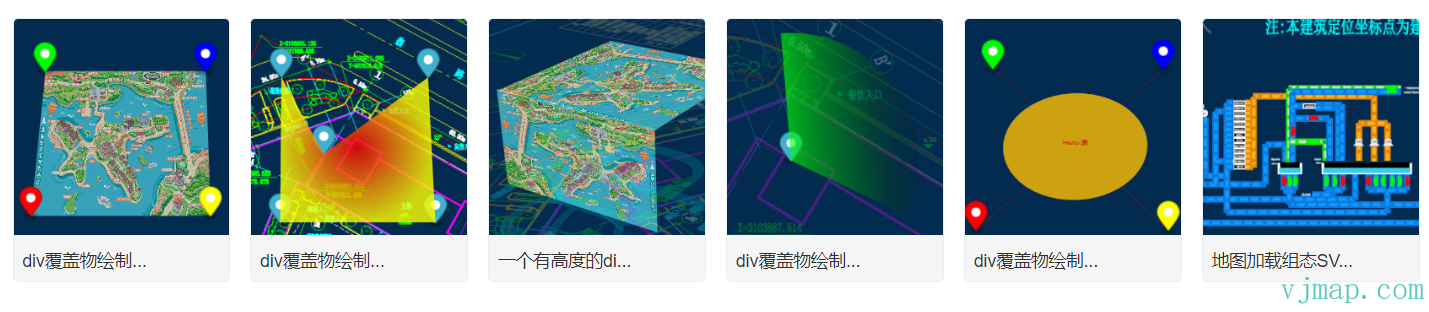
类型定义文件
/**
 * 在一个地理范围内创建一个随缩放而缩放的div的覆盖物
 * 注:如果是svg,则需设置为 viewBox="0 0 width height" preserveAspectRatio="xMinYMin meet", updateDivSize选项设置为true
 **/
export  class DivOverlay {
    options: DivOverlayOptions;
    _map?: Map;
    isShow: boolean;
    minZoom: number;
    maxZoom: number;
    maxPitch: number;
    isRemoved: boolean;
    parentContainer?: HTMLElement;
    constructor(options: DivOverlayOptions);
    addTo(map: Map, insertId?: string | HTMLElement): void;
    private _isShow;
    private _add;
    private _remove;
    /**
     * 设置是否显示隐藏
     * @param visible 是否显示
     * @param isDisplay true的话,表示用style的display去控制隐藏显示,dom还在文档中。false的话,会从文档动态清空增加
     */
    setVisible(visible?: boolean, isDisplay?: boolean): void;
    remove(): void;
    updateBounds(bounds: [GeoPointLike, GeoPointLike, GeoPointLike, GeoPointLike] | GeoBounds): void;
    updateSize(width: number, height: number): void;
    private _updateZoom;
    private _updateDivSize;
    private _adjustCoord;
    private _update;
}

export  interface DivOverlayOptions {
    /** 范围,四个点坐标 */
    bounds: [GeoPointLike, GeoPointLike, GeoPointLike, GeoPointLike] | GeoBounds;
    /** html元素 */
    element: HTMLElement;
    /** 元素宽 */
    width: number;
    /** 元素高 */
    height: number;
    /** 显示最大级别 */
    minZoom?: number;
    /** 显示最小级别 */
    maxZoom?: number;
    /** 显示最大倾斜角 */
    maxPitch?: number;
    /** 自动更新div大小,(如果需要svg放大,需要设置为true) */
    updateDivSize?: boolean;
    /** 放大div时,最大的div大小,超过了就像素放大了 */
    maxDivSize?: number;
}
这篇文档有帮助吗?感谢反馈!