
WebCAD Editor
No install.
Edit DWG in your browser
Built with TypeScript, WebGL and WebAssembly, with no plugins or desktop client. Read and write DWG / DXF across versions, undo and redo, tile-edit huge drawings, manage Git-like branches and versions, and work with a built-in AI assistant connected via MCP.
npm i vjcador load via CDN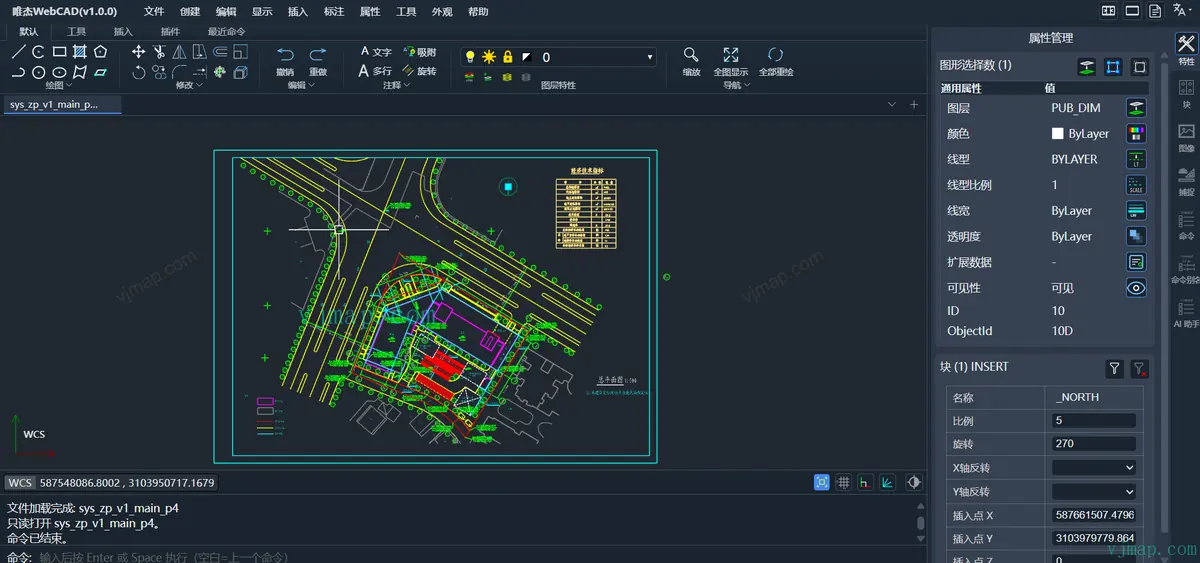
Ask / Agent / Plan
Incremental patches · merges
From open to delivery, all in the browser
- 01
Open DWG
Import a local drawing with
IMPORTDWG, or open one from the server withOPENFROMSERVER - 02
Edit Online
Commands, entities, layers and dimensions, or hand the work to the AI assistant
- 03
Collaborate
SAVESERVERsaves incremental patches; branch, merge and resolve conflicts - 04
Export
EXPORTDWG/EXPORTPNG, works alongside desktop CAD
Professional CAD, now in the browser
Native DWG I/O
Import and export DWG / DXF across versions, preserving layers, linetypes, blocks, TrueType / SHX fonts and xrefs.
Pro Editing Commands
145 commands such as COPY, MOVE, TRIM and EXTEND, available from both the command line and the Ribbon.
Undo / Redo
Full operation history with batch undo and redo.
Tile Editing
Open huge drawings in seconds and edit locally by area or layer. Supports GB-level drawings.
Branch Versioning
Branches, incremental patch versions and conflict resolution on merge, ideal for team drawing review.
GIS Overlay
Draw and edit directly on internet maps such as Tianditu and Amap.
Table Extraction
Detect tables in drawings and export them as structured data.
SVG / Image to CAD
SVG import and raster-to-vector conversion.
Centerline Extraction
Extract centerlines from double-line pipes and roads.
Plugin System
Full lifecycle support for extending the Ribbon, commands and custom entities; 6 official plugins, including AI, 3D viewer and architecture.
Events & Reactors
Before / After events for associative dimensions and geometric constraints.
Read-only Viewer
One line of config, viewMode: "viewer", embeds a drawing viewer in your business system.
Let CAD drawings build themselves
Data in, drawings out
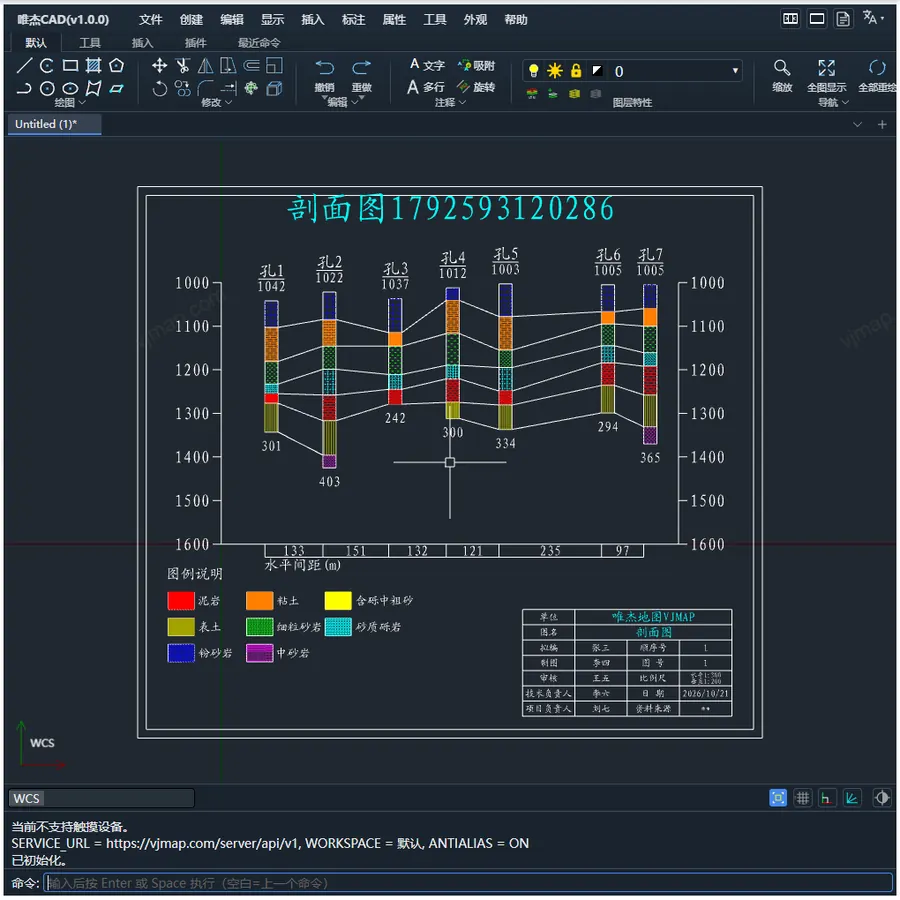
Create entities and layers through the API to turn borehole, survey and business data into standard CAD drawings, then deliver them as DWG.
- Auto-generate engineering cross-sections from borehole data
- Architecture plugin draws floor plans to drafting standards
- Pipe network topology plugin assists network design
Say it, and it's drawn
The editor's built-in AI assistant supports MCP: it reads drawings, runs commands and makes batch edits, and skill packs add domain expertise.
- Ask for read-only Q&A, Agent to act directly, Plan to plan first and then execute
- Skill packs for drafting, drawing analysis, floor plans and more, customizable for your business
- Drive WebCAD from Cursor and other tools via MCP

Embed a CAD editor in your system with a few lines of code
Create a MainView and mount it to a container to get the full CAD editing UI, or use the engine API on its own to draw.
- 1Create the editor
new MainView({...})sets the service URL and UI - 2Mount the container
initCadContainer("map", cadView) - 3Draw or open a drawing
Engine.addEntitiesorDrawingManagerService
const { MainView, initCadContainer, message } = vjcad;

const cadView = new MainView({
    appname: "VJCAD",
    version: "v1.0.0",
    serviceUrl: env.serviceUrl,     // Backend service URL
    accessToken: env.accessToken,   // Access token
    sidebarStyle: "right"           // "both" | "left" | "right" | "none"
});

initCadContainer("map", cadView);   // Mount to the given DOM container
await cadView.onLoad();
message.info("WebCAD engine initialized");
const { CircleEnt, Engine } = vjcad;

// Center [50, 50], radius 30
const circle = new CircleEnt([50, 50], 30);
circle.setDefaults();          // Apply system default properties
Engine.addEntities(circle);    // Add to the canvas
Engine.zoomExtents();          // Zoom to drawing extents
const { DrawingManagerService, Engine } = vjcad;

const drawingManager = new DrawingManagerService();
const openResult = await drawingManager.openDrawing({
    type: 'imports',           // 'imports' | 'designs'
    mapid: env.exampleMapId,
    version: 'v1',
    branch: 'main',            // Branch
    readOnly: false
});
const docName = `${env.exampleMapId}_v1_main`;
const file = new File([openResult.webcadJson], docName, { type: 'application/json' });
await Engine.view.openDbDoc(file, openResult.webcadData);
Featured Examples
237 examples covering entities, commands, layers, versions, recognition and plugins
FAQ
Do I need to install a plugin or client?
No. WebCAD is built on TypeScript + WebGL + WebAssembly and runs directly in Chrome / Edge 80+, Firefox 75+ and Safari 13+.
Is it compatible with AutoCAD and other desktop CAD?
It reads and writes DWG / DXF across versions. Exported standard DWG files work with desktop CAD, with layers, linetypes, blocks and fonts preserved.
How do I install and integrate it?
Use npm i vjcad (ESM), or load the UMD global vjcad via CDN. It works with plain TS / JS, and a Vue 3 integration example is available.
How is the server deployed?
Use the public cloud service at https://vjmap.com/server/api/v1, or deploy VJMAP Server privately (on-premises) and use your own service URL.
What can the AI assistant do?
It offers three modes: Ask (read-only Q&A), Agent (direct execution) and Plan (plan first, then execute). It can read drawings, run commands and make batch edits, and you can also drive WebCAD from Cursor and other tools via MCP.
How do I get a license and a quote?
Contact us through the WeChat official account or support WeChat at the bottom of the page.