
# Query Example (Auto-Split Submaps)
Automatically split CAD drawings into multiple sheets in the web client and export submaps or images with one click
# Introduction
In practice, a single CAD file often contains multiple drawings that sometimes need to be separated and saved or displayed individually. The traditional approach is to do this manually in CAD. This guide shows how to automatically split a CAD drawing into multiple sheets in the web client and export each submap as a separate DWG file or image.
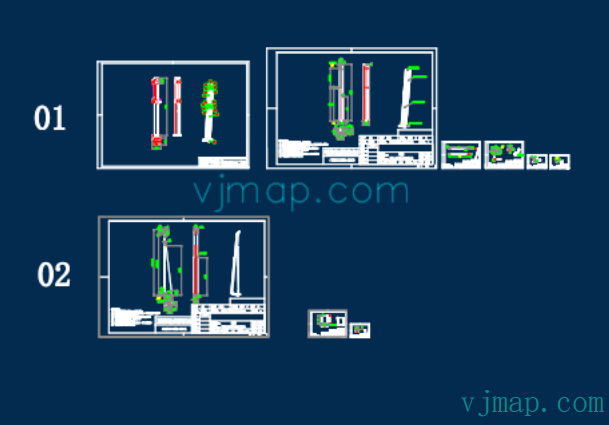
Example CAD source drawing:
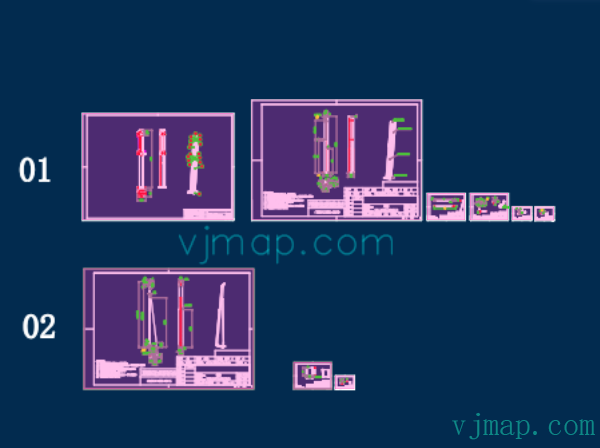
Result of automatic submap detection (all submap extents are highlighted in purple):
# Implementation
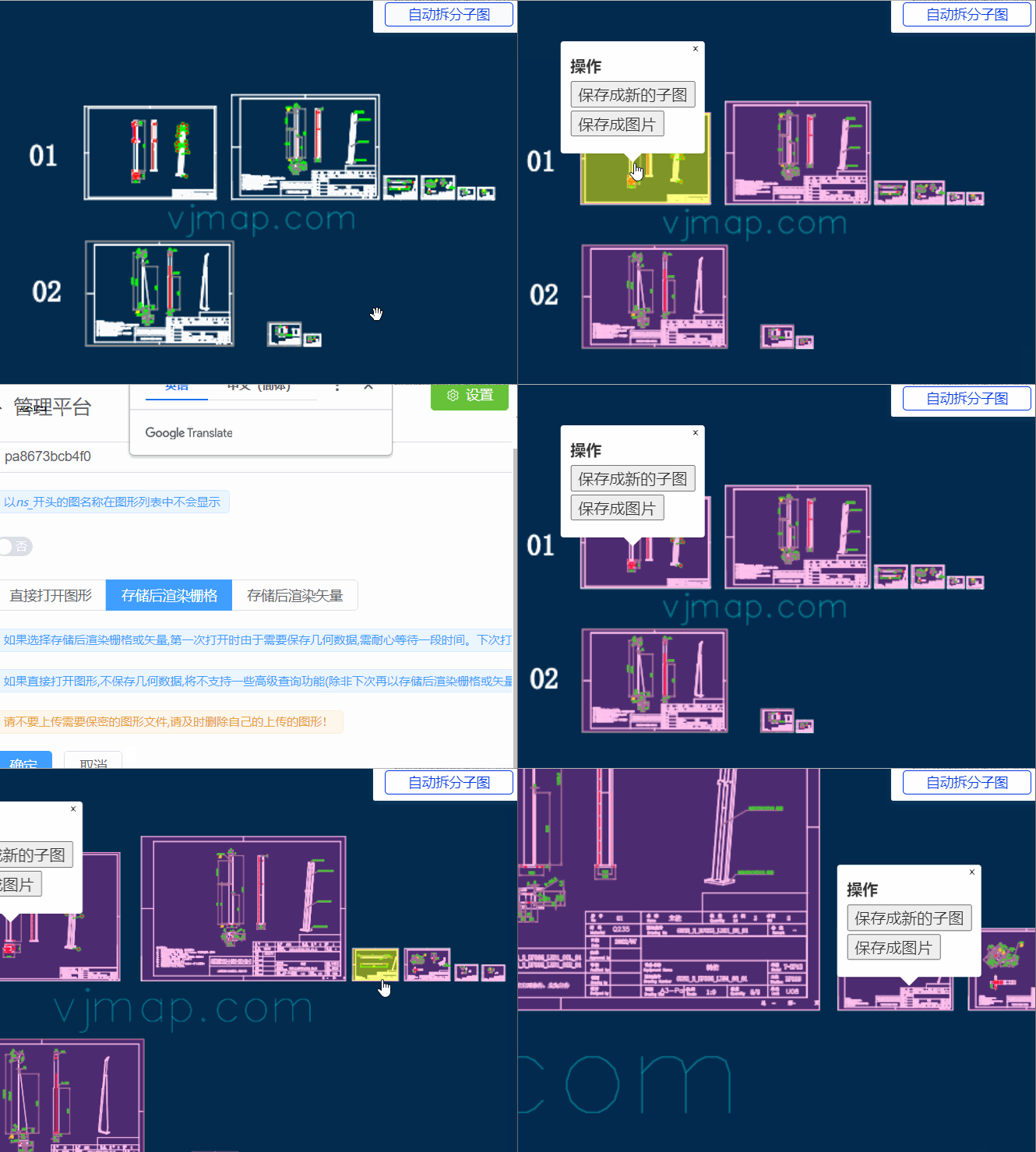
# Effect Preview
# Algorithm Overview
# Auto-Split Drawing Algorithm
# Algorithm Principle:
Submaps are characterized by an outer drawing border. If all drawing borders in the figure can be found, all submaps can be split automatically based on their positions.
The outermost boundary of a drawing border is a rectangle, and this rectangle is not contained by any other rectangle.
(1) Traverse all rectangles in the drawing and collect their extents
(2) Since rectangles are sometimes formed by four lines, collect all horizontal and vertical lines in the drawing and determine whether they can form rectangles
(3) For each collected rectangle, check whether it is contained by another rectangle. If not, treat it as a submap drawing border.
# Code to Find All Line Segment Coordinates in the Drawing
// Find all line segments in the drawing
const  getMapLines = async () => {
    // Find all lines, 2D and 3D polylines in the drawing
    let queryEntTypes = ['AcDbLine', 'AcDbPolyline', 'AcDb2dPolyline', 'AcDb3dPolyline'];
    let cond = queryEntTypes.map(t => `name='${getTypeNameById(t)}'`).join(' or '); // sql condition
    let query = await svc.conditionQueryFeature({
        condition: cond, // Only the where clause content of the sql statement is needed. See "Server-side Condition Query and Expression Query" for field reference
        fields: "objectid,points,envelop", // Only id and coordinates
        limit: 100000 // Set large, equivalent to getting all. Default 100 if not specified
    });

    let result = query.result || [];
    result.forEach(rst => rst.envelop = map.getEnvelopBounds(rst.envelop));
    return result;
}
2
3
4
5
6
7
8
9
10
11
12
13
14
15
# Code to Get All Submap Extent Rectangles
// Get all rectangles in a drawing
function findAllRectInMap(lines) {
    let allRects = [];
    // Rectangles may be formed by four lines or one polyline with 4 points (closed) or 5 points (closed)
    // First find rectangles formed by one polyline with 4 points (closed) or 5 points (closed)
    lines.forEach(e => {
        if (e.points == "") {
            return;
        }
        let points = e.points.split(";").map(p => vjmap.GeoPoint.fromString(p));
        if (points[0].equals(points[points.length - 1])) {
            // If closed, remove the last point
            points.length = points.length - 1;
        }
        if (points.length != 4) return; // Must have four points for a rectangle
        // Check if four points form a rectangle
        // Calculate center, then check if distances from center to all four points are equal
        let cx = (points[0].x + points[1].x + points[2].x + points[3].x) / 4.0;
        let cy = (points[0].y + points[1].y + points[2].y + points[3].y) / 4.0;
        let center = vjmap.geoPoint([cx, cy]);
        let dist = center.distanceTo(points[0]);
        let isDistEqual = true;
        for(let k = 1; k < points.length; k++) {
            if(!vjmap.isZero(center.distanceTo(points[k]) - dist)) {
                isDistEqual = false;
                break;
            }
        }
        if (!isDistEqual) return false;// Not a rectangle
        let rectObj = {
            bounds: e.envelop, // Use the obtained bounding rectangle directly
            ents: [e.objectid]
        };
        allRects.push(rectObj)
    });

    // Then find rectangles formed by four lines
    // First find all lines that meet the criteria: two coordinate points, horizontal or vertical
    lines = lines.filter(e => {
            let points = e.points.split(";");
            if (points.length !=2 ) return false;
            e.geoStart = vjmap.GeoPoint.fromString(points[0]);
            delete e.geoStart.z;// Ignore z
            e.geoEnd = vjmap.GeoPoint.fromString(points[1]);
            delete e.geoEnd.z;// Ignore z
            e.startPoint = e.geoStart.toString();
            e.endPoint =  e.geoEnd.toString();
            if (e.startPoint == e.endPoint) {
                // Same point
                return false;
            }
            let line = points.map(e=>vjmap.geoPoint(e.split(",")))
            let isVLine = vjmap.isZero(line[0].x - line[1].x);// Vertical line
            let isHLine = vjmap.isZero(line[0].y - line[1].y);// Horizontal line
            if (!(isVLine || isHLine)) return false; // Must be horizontal or vertical

            e.isHorzLine = isHLine;
            e.findFlag = false;
            return true
        }
    )
    // Store all coordinate points in a dictionary array
    let coordPointMap = {} // Coordinate point dictionary
    let entMap = {} // Entity dictionary
    for(let ln of lines) {
        // Associate id with line entity
        entMap[ln.objectid] = ln;
        coordPointMap[ln.startPoint] = coordPointMap[ln.startPoint] || new Set()
        coordPointMap[ln.startPoint].add(ln.objectid)

        coordPointMap[ln.endPoint] = coordPointMap[ln.endPoint] || new Set()
        coordPointMap[ln.endPoint].add(ln.objectid)
    }
    for(let c in coordPointMap) {
        coordPointMap[c] = Array.from(coordPointMap[c])
    }

    // Find next line
    const findNextLine = (ln, isStartPoint, nextIsHortLine) => {
        const pt = isStartPoint ? ln.startPoint : ln.endPoint
        const findLines = coordPointMap[pt];
        if (!findLines) return null;
        // First look for similar id prefix (might be same block)
        let idx = findLines.findIndex( e => e != ln.objectid && e.substr(0, 3) == ln.objectid.substr(0, 3));
        if(idx < 0) {
            idx = findLines.findIndex( e => e != ln.objectid);
            if(idx < 0) return null;
        }
        const findLn = entMap[findLines[idx]];
        if (findLn.isHorzLine != nextIsHortLine) return null; // Different line type
        let isLnStartPoint = findLn.startPoint != pt
        return {
            findLine: findLn,
            isStartPoint: isLnStartPoint
        }
    };


    // Find rectangles
    for(let ln of lines) {
        if (ln.isHorzLine) continue;// Only look at vertical lines
        // Find lines connected at both endpoints
        let n1 = coordPointMap[ln.startPoint].length;
        let n2 = coordPointMap[ln.endPoint].length;
        if (ln.findFlag) continue;
        // Follow connections until we reach the start, forming a rectangle
        let nextLine1 = findNextLine(ln, true, true)
        if (!nextLine1) continue;
        let nextLine2 = findNextLine(nextLine1.findLine, nextLine1.isStartPoint, false)
        if (!nextLine2) continue;
        let nextLine3 = findNextLine(nextLine2.findLine, nextLine2.isStartPoint, true)
        if (!nextLine3) continue;
        let nextLine4 = findNextLine(nextLine3.findLine, nextLine3.isStartPoint, false)
        if (!nextLine4) continue;
        if (nextLine4.findLine.objectid == ln.objectid && nextLine4.isStartPoint == true) {
            // Success, this is a rectangle
            ln.findFlag = true;
            nextLine1.findLine.findFlag = true;
            nextLine2.findLine.findFlag = true;
            nextLine3.findLine.findFlag = true;

            // Add rectangle object
            let strBounds = '[' + ln.startPoint + ','  + (nextLine2.isStartPoint ? nextLine2.findLine.startPoint : nextLine2.findLine.endPoint) + ']';
            let rectObj = {
                bounds: vjmap.GeoBounds.fromString(strBounds),
                ents: [ln.objectid, nextLine1.findLine.objectid, nextLine2.findLine.objectid, nextLine3.findLine.objectid]
            };
            allRects.push(rectObj)
        }
    }
    return allRects;
}
// Auto-split submaps, show all submap extents
// Principle: Find all rectangles in the drawing (including those formed by lines). A rectangle not contained by any other rectangle is a submap extent
const splitMap = async () => {
    message.info('Click a highlighted drawing border to select "Save as new submap" or "Save as image"')
    let lnRes = await getMapLines();
    let allRects = findAllRectInMap(lnRes);
    // Among all rectangles, only those not contained by another are considered new drawing borders
    let mapRects = [];
    for(let i = 0; i < allRects.length; i++) {
        let isContain = false;
        for(let j = 0; j < allRects.length; j++) {
            if (i == j) continue; // Skip self
            // Check if rectangle is contained
            if ( allRects[j].bounds.isContains(allRects[i].bounds)) {
                isContain = true;
                break;
            }
        }
        if (!isContain) {
            mapRects.push(allRects[i]); // Not contained, treat as new drawing border
        }
    }
}
2
3
4
5
6
7
8
9
10
11
12
13
14
15
16
17
18
19
20
21
22
23
24
25
26
27
28
29
30
31
32
33
34
35
36
37
38
39
40
41
42
43
44
45
46
47
48
49
50
51
52
53
54
55
56
57
58
59
60
61
62
63
64
65
66
67
68
69
70
71
72
73
74
75
76
77
78
79
80
81
82
83
84
85
86
87
88
89
90
91
92
93
94
95
96
97
98
99
100
101
102
103
104
105
106
107
108
109
110
111
112
113
114
115
116
117
118
119
120
121
122
123
124
125
126
127
128
129
130
131
132
133
134
135
136
137
138
139
140
141
142
143
144
145
146
147
148
149
150
151
152
153
154
155
156
# Save Submaps as Separate DWG Files
To save submaps as separate DWG files by extent, use the compose graphics service API provided by VJMap. Documentation:
/**
 * Compose new map parameters
 */
export  interface IComposeNewMap {
    /** Map ID. */
    mapid: string;
    /** Map version (uses current open map version when empty). */
    version?: string;
    /** Map clip extent, format [x1,y1,x2,y2]. Empty means no clipping */
    clipbounds?: [number, number, number, number];
    /** Include or intersect selection (default false = include, true = intersect) */
    selByCrossing?: boolean;
    /** Four parameters (x offset, y offset, scale, rotation in radians), optional, for final coordinate correction*/
    fourParameter?: [number, number, number, number];
    /** Layer names to display. Empty means all layers */
    layers?: string[];
    /** New map layer name prefix */
    layerPrefix?: string;
    /** New map layer name suffix */
    layerSuffix?: string;
    /** Save file name. Auto-generated from parameters when empty */
    savefilename?: string;
}
2
3
4
5
6
7
8
9
10
11
12
13
14
15
16
17
18
19
20
21
22
23
Implementation code:
const saveSubMapByBounds = async points => {
        let bounds = vjmap.GeoBounds.fromDataExtent(points);
        bounds = map.fromLngLat(bounds);
        let curMapParam = svc.currentMapParam();
        let rsp = await svc.composeNewMap([
            {
                mapid: curMapParam.mapid,
                version: curMapParam.version,
                clipbounds: bounds.toArray() // Clip extent
            }
        ])
        let url = `https://vjmap.com/app/cloud/#/upload?fileid=${rsp.fileid}&mapid=${rsp.fileid}&isNewMapId=true`;
        window.open(url);
    };
2
3
4
5
6
7
8
9
10
11
12
13
14
# Export Submaps as Images
Export as images by extent using the WMS graphics service API provided by VJMap. Documentation:
/**
 * WMS service URL interface
 */
export  interface IWmsTileUrl {
    /** Map ID (uses current open mapid when empty). Array means request multiple. */
    mapid?: string | string[];
    /** Map version (uses current open map version when empty). */
    version?: string | string[];
    /** Layer names (uses current open map layers when empty). */
    layers?: string | string[];
    /** Extent, default {bbox-epsg-3857}. (For WMS data of a CAD extent without coordinate conversion, fill CAD extent here, leave srs, crs, mapbounds empty).*/
    bbox?: string;
    /** Current coordinate system, default (EPSG:3857). */
    srs?: string;
    /** CAD drawing coordinate system. Determined by metadata when empty. */
    crs?: string | string[];
    /** Geographic extent. When set, srs is ignored */
    mapbounds?: string;
    /** Width. */
    width?: number;
    /** Height. */
    height?: number;
    /** Transparent. */
    transparent?: boolean;
    /** Background color when not transparent, default white. Format must be rgb(r,g,b) or rgba(r,g,b,a), a for opacity should be 255. */
    backgroundColor?: string;
    /** Four parameters (x offset, y offset, scale, rotation in radians), optional, for final coordinate correction*/
    fourParameter?: string | string[];
    /** Whether vector tiles. */
    mvt?: boolean;
    /** Consider rotation. Needed when converting between coordinate systems. Default auto. */
    useImageRotate?: boolean;
    /** Image processing algorithm when rotating. 1 or 2, default auto (used when rotating)*/
    imageProcessAlg?: number;
    /** Web map type for current internet base map WGS84(84 coords, e.g. Tianditu, OSM), GCJ02(Mars coords, e.g. Amap, Tencent), BD09LL(Baidu lat/lng, e.g. Baidu), BD09MC(Baidu Mercator meters, e.g. Baidu)*/
    webMapType?: "WGS84" | "GCJ02" | "BD09LL" | "BD09MC";
}
2
3
4
5
6
7
8
9
10
11
12
13
14
15
16
17
18
19
20
21
22
23
24
25
26
27
28
29
30
31
32
33
34
35
36
37
Implementation code:
const exportMapPngByBoundsUrl = points => {
        let bounds = vjmap.GeoBounds.fromDataExtent(points);
        bounds = map.fromLngLat(bounds);
        // bounds = bounds.square(); // Ensure square
        bounds = bounds.scale(1.01); // Slightly larger so border lines remain visible
        let pictureWidth = 1024 ;// Export image width/height
        let wmsUrl = svc.wmsTileUrl({
            width: pictureWidth,
            height: Math.round(pictureWidth * bounds.height() / bounds.width()),
            srs: "",
            bbox: bounds.toString(),
            transparent: false,
            backgroundColor: 'rgb(0,0,0)'
        });
        window.open(wmsUrl);
    };
2
3
4
5
6
7
8
9
10
11
12
13
14
15
16
# Summary
With just over a hundred lines of code, we implemented automatic splitting of CAD drawings into multiple submaps and saving each as a new DWG file or exported image, greatly reducing manual submap work. Try it online at https://vjmap.com/demo/#/demo/map/service/22findsubmapsplit (opens new window).