
Polyline
Usage
let data = {
    "type": "FeatureCollection",
    "features": [
        {
            "id": "1",
            "type": "Feature",
            "properties": {
                "name": "polyline1",
                "color": "#00ffff"
            },
            "geometry": {
                "coordinates": [
                    [
                        3006.0952985307595,
                        15198.972934052355
                    ],
                    [
                        12606.64046359223,
                        9285.59366571666
                    ],
                    [
                        4745.324495099878,
                        3720.060236694666
                    ],
                    [
                        3006.0952985307595,
                        15198.972934052355
                    ]
                ],
                "type": "LineString"
            }
        },
        {
            "id": "2",
            "type": "Feature",
            "properties": {
                "name": "polyline2",
                "color": "#ff00ff"
            },
            "geometry": {
                "coordinates": [
                    [
                        19841.833921319492,
                        13807.589576796912
                    ],
                    [
                        19841.833921319492,
                        4207.0444117340885
                    ],
                    [
                        26172.62819683108,
                        4207.0444117340885
                    ],
                    [
                        26172.62819683108,
                        13807.589576796912
                    ],
                    [
                        19841.833921319492,
                        13807.589576796912
                    ]
                ],
                "type": "LineString"
            }
        }
    ]
}
let polyline = new vjmap.Polyline({
    data: map.toLngLat(data), // Convert CAD geometry coordinates to render longitude/latitude
    // Use red when hover state, otherwise use 'color' from properties
    lineColor: ['case', ['to-boolean', ['feature-state', 'hover']], 'red', ['get', 'color']],
    lineWidth: 3,
    isHoverPointer: true,
    isHoverFeatureState: true
});
polyline.addTo(map);
polyline.clickLayer(e => map.logInfo(`You clicked No. ${e.features[0].id}, name: ${e.features[0].properties.name}, color: ${e.features[0].properties.color} `))
polyline.hoverPopup(f => `<h3>ID: ${f.properties.name}</h3>Color: ${f.properties.color}`, { anchor: 'bottom' });
Runs in a sandbox against the VJMAP public demo service
let svc = new vjmap.Service(env.serviceUrl, env.accessToken)
// Open map
let res = await svc.openMap({
    mapid: "sys_hello", // Map ID
    mapopenway: vjmap.MapOpenWay.GeomRender, // Open with geometry data rendering
    style: vjmap.openMapLightStyle() // Use dark background style when div has dark background
})
if (res.error) {
    // If open fails
    showError(res.error)
    return;
}
// Get map extent
let mapBounds = vjmap.GeoBounds.fromString(res.bounds);
// Create geometric projection coordinate system based on map extent
let prj = new vjmap.GeoProjection(mapBounds);
//
// Map object
let map = new vjmap.Map({
    container: 'map', // DIV container ID
    style: svc.rasterStyle(), // Style, raster style here
    center: prj.toLngLat(mapBounds.center()), // Set map center
    zoom: 1, // Set map zoom level
    pitch: 0,
    renderWorldCopies: false // Do not display multi-screen map
});
// Associate service object and projection object
map.attach(svc, prj);
await map.onLoad();
let data = {
    "type": "FeatureCollection",
    "features": [
        {
            "id": "1",
            "type": "Feature",
            "properties": {
                "name": "polyline1",
                "color": "#00ffff"
            },
            "geometry": {
                "coordinates": [
                    [
                        3006.0952985307595,
                        15198.972934052355
                    ],
                    [
                        12606.64046359223,
                        9285.59366571666
                    ],
                    [
                        4745.324495099878,
                        3720.060236694666
                    ],
                    [
                        3006.0952985307595,
                        15198.972934052355
                    ]
                ],
                "type": "LineString"
            }
        },
        {
            "id": "2",
            "type": "Feature",
            "properties": {
                "name": "polyline2",
                "color": "#ff00ff"
            },
            "geometry": {
                "coordinates": [
                    [
                        19841.833921319492,
                        13807.589576796912
                    ],
                    [
                        19841.833921319492,
                        4207.0444117340885
                    ],
                    [
                        26172.62819683108,
                        4207.0444117340885
                    ],
                    [
                        26172.62819683108,
                        13807.589576796912
                    ],
                    [
                        19841.833921319492,
                        13807.589576796912
                    ]
                ],
                "type": "LineString"
            }
        }
    ]
}
let polyline = new vjmap.Polyline({
    data: map.toLngLat(data), // Convert CAD geometry coordinates to render longitude/latitude
    // Use red when hover state, otherwise use 'color' from properties
    lineColor: ['case', ['to-boolean', ['feature-state', 'hover']], 'red', ['get', 'color']],
    lineWidth: 3,
    isHoverPointer: true,
    isHoverFeatureState: true
});
polyline.addTo(map);
// Click event
polyline.clickLayer(e => map.logInfo(`You clicked No. ${e.features[0].id}, name: ${e.features[0].properties.name}, color: ${e.features[0].properties.color} `))
// Hover event
polyline.hoverPopup(f => `<h3>ID: ${f.properties.name}</h3>Color: ${f.properties.color}`, { anchor: 'bottom' });
Alternatively, create the data source first, then create the line layer, e.g.
map.addSource("lines", {
    type: "geojson",
    data: data
});
map.addLayer({
    id: 'lineLayers',
    source: 'lines',
    type: 'line',
    "layout": {
        "line-cap": "square", //butt pointed, round rounded, square flat
        "line-join": "round" //bevel flat corner, round rounded corner, miter sharp corner
    },
    "paint": {
        "line-width": 3, //width
        "line-color": ['case', ['to-boolean', ['feature-state', 'hover']], 'red', ['get', 'color']] //color
    }
})
Or use camelCase for properties, no need to distinguish layout vs paint
map.addGeoJSONSource("lines", data);
map.addLineLayer("route", "lines", {
    lineCap: "square", //butt pointed, round rounded, square flat
    lineJoin: "round", //bevel flat corner, round rounded corner, miter sharp corner
    lineWidth: 3, //width
    lineColor: ['case', ['to-boolean', ['feature-state', 'hover']], 'red', ['get', 'color']] //color
})
When using this approach of creating data source and layer, listen to map layer events for event handling
map.on("click", layerId, e => {})
Common Methods
Use setData to modify data
polyline.setData(newDataJson);
Get layer ID and data source ID
// Get layer ID
polyline.getLayerId()
// Get data source ID
polyline.getSourceId()
Show or hide
// Show
polyline.show()
// Hide
polyline.hide()
Remove
// Remove
polyline.remove()
Related Examples
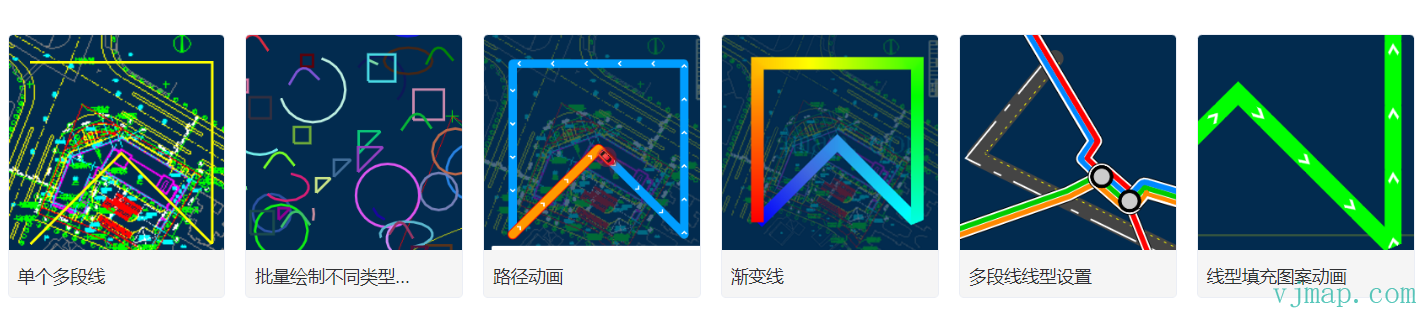
Batch draw different types of polylines
Type Definitions
/**
 * Create polyline.
 *
 **/
export  class Polyline extends OverlayLayerBase {
    options: PolylineOptions;
    constructor(options: PolylineOptions);
    addTo(map: Map, beforeId?: string): void;
    /** Replace the current data of the GeoJSON layer.
     @param {GeoJSON} [data] GeoJSON object to set. If not provided, defaults to an empty FeatureCollection.
     */
    setData(data: PointGeoJsonInput | PointGeoJsonInput[] | GeoJsonGeomertry | GeoPointLike | any): void;
    setLineCap(value: DataDrivenPropertyValueSpecification<"butt" | "round" | "square">): this;
    getLineCap(): DataDrivenPropertyValueSpecification<"butt" | "round" | "square">;
    setLineJoin(value: DataDrivenPropertyValueSpecification<"bevel" | "round" | "miter">): this;
    getLineJoin(): DataDrivenPropertyValueSpecification<"bevel" | "round" | "miter">;
    setLineMiterMimit(value: PropertyValueSpecificationEx<number>): this;
    getLineMiterMimit(): PropertyValueSpecificationEx<number>;
    setLineRoundLimit(value: PropertyValueSpecificationEx<number>): this;
    getLineRoundLimit(): PropertyValueSpecificationEx<number>;
    setLineSortKey(value: DataDrivenPropertyValueSpecification<number>): this;
    getLineSortKey(): DataDrivenPropertyValueSpecification<number>;
    setLineOpacity(value: DataDrivenPropertyValueSpecification<number>): this;
    getLineOpacity(): DataDrivenPropertyValueSpecification<number>;
    setLineColor(value: DataDrivenPropertyValueSpecification<ColorSpecification>): this;
    getLineColor(): DataDrivenPropertyValueSpecification<ColorSpecification>;
    setLineTranslate(value: PropertyValueSpecificationEx<[number, number]>): this;
    getLineTranslate(): PropertyValueSpecificationEx<[number, number]>;
    setLineTranslateAnchor(value: PropertyValueSpecificationEx<"map" | "viewport">): this;
    getLineTranslateAnchor(): PropertyValueSpecificationEx<"map" | "viewport">;
    setLineWidth(value: DataDrivenPropertyValueSpecification<number>): this;
    getLineWidth(): DataDrivenPropertyValueSpecification<number>;
    setLineGapWidth(value: DataDrivenPropertyValueSpecification<number>): this;
    getLineGapWidth(): DataDrivenPropertyValueSpecification<number>;
    setLineOffset(value: DataDrivenPropertyValueSpecification<number>): this;
    getLineOffset(): DataDrivenPropertyValueSpecification<number>;
    setLineBlur(value: DataDrivenPropertyValueSpecification<number>): this;
    getLineBlur(): DataDrivenPropertyValueSpecification<number>;
    setLineDasharray(value: DataDrivenPropertyValueSpecification<number[]>): this;
    getLineDasharray(): DataDrivenPropertyValueSpecification<number[]>;
    setLinePattern(value: DataDrivenPropertyValueSpecification<ResolvedImageSpecification>): this;
    getLinePattern(): DataDrivenPropertyValueSpecification<ResolvedImageSpecification>;
    setLineGradient(value: ExpressionSpecificationEx): this;
    getLineGradient(): ExpressionSpecificationEx;
}


export  class OverlayLayerBase {
    sourceId?: string;
    layerId?: string;
    _map?: Map;
    constructor();
    addTo(map: Map, beforeId?: string): void;
    /**
     * Get data source ID
     * @return {string | undefined}
     */
    getSourceId(): string | undefined;
    /**
     * Get layer ID
     * @return {string | undefined}
     */
    getLayerId(): string | undefined;
    /**
     * Get data source data
     * @return {GeoJsonGeomertry | undefined}
     */
    getData(): GeoJsonGeomertry | undefined;
    remove(): void;
    /** Set map cursor to "pointer" when mouse hovers over these layers.
     @returns A function to remove the handler.
     * @param layerOrLayers
     */
    hoverPointer(): void;
    /**
     Update feature state in connected source when mouse hovers over a feature in these layers.
     * @param enterCb
     * @param leaveCb
     */
    hoverFeatureState(enterCb?: (arg0: {}) => void, leaveCb?: (arg0: {}) => void): void;
    /** Show a popup when mouse hovers over a feature in these layers.
     @param htmlFunc Function that receives feature and popup, returns HTML.
     @param {Object<PopupOptions>} popupOptions Options passed to `Popup()` to customise popup.
     @example hoverPopup(f => `<h3>${f.properties.Name}</h3> ${f.properties.Description}`, { anchor: 'left' });
     */
    hoverPopup(htmlFunc: any, popupOptions?: PopupOptions): any;
    /** Show a popup when clicking a feature in these layers.
     @param htmlFunc Function that receives feature and popup, returns HTML.
     @param {Object<PopupOptions>} popupOptions Options passed to `Popup()` to customise popup.

     @returns A function that removes the handler.
     @example clickPopup(f => `<h3>${f.properties.Name}</h3> ${f.properties.Description}`, { maxWidth: 500 });

     */
    clickPopup(htmlFunc: (arg0: {}) => void, popupOptions?: PopupOptions): any;
    /** Trigger callback when clicking a feature in these layers.
     @param {function} cb Callback that receives event with .features property
     @returns A function that removes the handler.
     */
    clickLayer(cb: any): any;
    /** Trigger callback when mouse hovers over a feature in these layers.
     @returns A function to remove the handler.
     */
    hoverLayer(cb: any): any;
    /**
     * Make the given layer visible.
     * @param layer
     */
    show(): void;
    /**
     * Make the given layer invisible.
     * @param layer
     */
    hide(): void;
    /** Hide or show the given layer based on parameter.
     @param {boolean} state True for visible, false for hidden.
     */
    toggle(state: boolean): boolean;
    /** Set paint or layout property on one or more layers.
     @example setProperty('fillOpacity', 0.5)
     */
    setProperty(prop: string | object, value?: any): void;
    /** Get layer definition for given layer ID according to style spec.
     */
    getLayerStyle(): LayerSpecification;
    /**
     * Set layer style
     * @param layer
     * @param style
     */
    setLayerStyle(style: any): void;
    /** Replace the filter of a layer.
     @param {Array} filter New filter to set.
     @example setFilter(['==','level','0']]);
     */
    setFilter(filter: FilterSpecification): void;
}

export  interface OverlayLayerBaseOptions {
    sourceId?: string;
    sourceLayer?: string;
    layerId?: string;
    minzoom?: number;
    maxzoom?: number;
    filter?: any;
    visibility?: "visible" | "none";
    isHoverPointer?: boolean;
    isHoverFeatureState?: boolean;
}


export  type LineLayerSpecification = {
    id: string;
    type: "line";
    metadata?: unknown;
    source: string;
    "source-layer"?: string;
    minzoom?: number;
    maxzoom?: number;
    filter?: FilterSpecification;
    layout?: {
        "line-cap"?: DataDrivenPropertyValueSpecification<"butt" | "round" | "square">;
        "line-join"?: DataDrivenPropertyValueSpecification<"bevel" | "round" | "miter">;
        "line-miter-limit"?: PropertyValueSpecificationEx<number>;
        "line-round-limit"?: PropertyValueSpecificationEx<number>;
        "line-sort-key"?: DataDrivenPropertyValueSpecification<number>;
        visibility?: "visible" | "none";
    };
    paint?: {
        "line-opacity"?: DataDrivenPropertyValueSpecification<number>;
        "line-color"?: DataDrivenPropertyValueSpecification<ColorSpecification>;
        "line-translate"?: PropertyValueSpecificationEx<[number, number]>;
        "line-translate-anchor"?: PropertyValueSpecificationEx<"map" | "viewport">;
        "line-width"?: DataDrivenPropertyValueSpecification<number>;
        "line-gap-width"?: DataDrivenPropertyValueSpecification<number>;
        "line-offset"?: DataDrivenPropertyValueSpecification<number>;
        "line-blur"?: DataDrivenPropertyValueSpecification<number>;
        "line-dasharray"?: DataDrivenPropertyValueSpecification<Array<number>>;
        "line-pattern"?: DataDrivenPropertyValueSpecification<ResolvedImageSpecification>;
        "line-gradient"?: ExpressionSpecificationEx;
    };
};

export  type LineLayerStyleProp = {
    metadata?: unknown;
    source?: string;
    sourceLayer?: string;
    minzoom?: number;
    maxzoom?: number;
    filter?: FilterSpecification;
    lineCap?: DataDrivenPropertyValueSpecification<"butt" | "round" | "square">;
    lineJoin?: DataDrivenPropertyValueSpecification<"bevel" | "round" | "miter">;
    lineMiterMimit?: PropertyValueSpecificationEx<number>;
    lineRoundLimit?: PropertyValueSpecificationEx<number>;
    lineSortKey?: DataDrivenPropertyValueSpecification<number>;
    visibility?: "visible" | "none";
    lineOpacity?: DataDrivenPropertyValueSpecification<number>;
    lineColor?: DataDrivenPropertyValueSpecification<ColorSpecification>;
    lineTranslate?: PropertyValueSpecificationEx<[number, number]>;
    lineTranslateAnchor?: PropertyValueSpecificationEx<"map" | "viewport">;
    lineWidth?: DataDrivenPropertyValueSpecification<number>;
    lineGapWidth?: DataDrivenPropertyValueSpecification<number>;
    lineOffset?: DataDrivenPropertyValueSpecification<number>;
    lineBlur?: DataDrivenPropertyValueSpecification<number>;
    lineDasharray?: DataDrivenPropertyValueSpecification<Array<number>>;
    linePattern?: DataDrivenPropertyValueSpecification<ResolvedImageSpecification>;
    lineGradient?: ExpressionSpecificationEx;
};
Was this page helpful?Thanks for the feedback!