
Extrusion
Usage
let data = {
    "type": "FeatureCollection",
    "features": [
        {
            "id": "1",
            "type": "Feature",
            "properties": {
                "name": "fillExtrusion1",
                "color": "#00ffff",
                 baseHeight: 0,
                 height: vjmap.randInt(1000000, 2000000)
            },
            "geometry": {
                "coordinates": [
                    [
                        [
                            3006.0952985307595,
                            15198.972934052355
                        ],
                        [
                            12606.64046359223,
                            9285.59366571666
                        ],
                        [
                            4745.324495099878,
                            3720.060236694666
                        ],
                        [
                            3006.0952985307595,
                            15198.972934052355
                        ]
                    ]
                ],
                "type": "Polygon"
            }
        },
        {
            "id": "2",
            "type": "Feature",
            "properties": {
                "name": "fillExtrusion2",
                "color": "#ff00ff",
                 baseHeight: 0,
                 height: vjmap.randInt(1000000, 2000000)
            },
            "geometry": {
                "coordinates": [
                    [
                        [
                            19841.833921319492,
                            13807.589576796912
                        ],
                        [
                            19841.833921319492,
                            4207.0444117340885
                        ],
                        [
                            26172.62819683108,
                            4207.0444117340885
                        ],
                        [
                            26172.62819683108,
                            13807.589576796912
                        ],
                        [
                            19841.833921319492,
                            13807.589576796912
                        ]
                    ]
                ],
                "type": "Polygon"
            }
        }
    ]
}
let fillExtrusion = new vjmap.FillExtrusion({
    data: map.toLngLat(data), // Convert CAD geometry coordinates to render longitude/latitude
     // When in hover state, use red; when not hovering, use 'color' from properties as the color value
    fillExtrusionColor: ['case', ['to-boolean', ['feature-state', 'hover']], 'red', ['get', 'color']],
    fillExtrusionOpacity: 1,
    fillExtrusionHeight: ['get', 'height'],
    fillExtrusionBase: ['get', 'baseHeight'],
    isHoverPointer: true,
    isHoverFeatureState: true
});
fillExtrusion.addTo(map);
fillExtrusion.clickLayer(e => map.logInfo(`You clicked the ${e.features[0].id}th one, name is ${e.features[0].properties.name}, color is ${e.features[0].properties.color} `))
fillExtrusion.hoverPopup(f => `<h3>ID: ${f.properties.name}</h3>Color: ${f.properties.color}`, { anchor: 'bottom' });
Runs in a sandbox against the VJMAP public demo service
let svc = new vjmap.Service(env.serviceUrl, env.accessToken)
// Open map
let res = await svc.openMap({
    mapid: "sys_hello", // Map ID
    mapopenway: vjmap.MapOpenWay.GeomRender, // Open with geometry data rendering
    style: vjmap.openMapLightStyle() // When div has dark background, pass dark background style here
})
if (res.error) {
    // If open fails
    showError(res.error)
    return;
}
// Get map bounds
let mapBounds = vjmap.GeoBounds.fromString(res.bounds);
// Create geometric projection coordinate system from map bounds
let prj = new vjmap.GeoProjection(mapBounds);
//
// Map object
let map = new vjmap.Map({
    container: 'map', // DIV container ID
    style: svc.rasterStyle(), // Style, raster style here
    center: prj.toLngLat(mapBounds.center()), // Set map center
    zoom: 1, // Set map zoom level
    pitch: 45,
    antialias: true,
    renderWorldCopies: false // Do not display multi-screen map
});
// Associate service object and projection object
map.attach(svc, prj);
await map.onLoad();
let data = {
    "type": "FeatureCollection",
    "features": [
        {
            "id": "1",
            "type": "Feature",
            "properties": {
                "name": "fillExtrusion1",
                "color": "#00ffff",
                 baseHeight: 0,
                 height: vjmap.randInt(1000000, 2000000)
            },
            "geometry": {
                "coordinates": [
                    [
                        [
                            3006.0952985307595,
                            15198.972934052355
                        ],
                        [
                            12606.64046359223,
                            9285.59366571666
                        ],
                        [
                            4745.324495099878,
                            3720.060236694666
                        ],
                        [
                            3006.0952985307595,
                            15198.972934052355
                        ]
                    ]
                ],
                "type": "Polygon"
            }
        },
        {
            "id": "2",
            "type": "Feature",
            "properties": {
                "name": "fillExtrusion2",
                "color": "#ff00ff",
                 baseHeight: 0,
                 height: vjmap.randInt(1000000, 2000000)
            },
            "geometry": {
                "coordinates": [
                    [
                        [
                            19841.833921319492,
                            13807.589576796912
                        ],
                        [
                            19841.833921319492,
                            4207.0444117340885
                        ],
                        [
                            26172.62819683108,
                            4207.0444117340885
                        ],
                        [
                            26172.62819683108,
                            13807.589576796912
                        ],
                        [
                            19841.833921319492,
                            13807.589576796912
                        ]
                    ]
                ],
                "type": "Polygon"
            }
        }
    ]
}
let fillExtrusion = new vjmap.FillExtrusion({
    data: map.toLngLat(data), // Convert CAD geometry coordinates to render longitude/latitude
    // When in hover state, use red; when not hovering, use 'color' from properties as the color value
    fillExtrusionColor: ['case', ['to-boolean', ['feature-state', 'hover']], 'red', ['get', 'color']],
    fillExtrusionOpacity: 1,
    fillExtrusionHeight: ['get', 'height'],
    fillExtrusionBase: ['get', 'baseHeight'],
    isHoverPointer: true,
    isHoverFeatureState: true
});
fillExtrusion.addTo(map);
// Click event
fillExtrusion.clickLayer(e => map.logInfo(`You clicked the ${e.features[0].id}th one, name is ${e.features[0].properties.name}, color is ${e.features[0].properties.color} `))
// Hover event
fillExtrusion.hoverPopup(f => `<h3>ID: ${f.properties.name}</h3>Color: ${f.properties.color}`, { anchor: 'bottom' });
Alternatively, you can create the data source first, then create the extrusion layer, for example:
map.addSource("fillExtrusionSources", {
    type: "geojson",
    data: data
});
map.addLayer({
    id: 'fillExtrusionLayer',
    source: 'fillExtrusionSources',
    type: 'fill-extrusion',
    "layout": {},
    "paint": {
        "fill-extrusion-opacity": 1.0,
        "fill-extrusion-color": ['case', ['to-boolean', ['feature-state', 'hover']], 'red', ['get', 'color']], // color
        "fill-extrusion-height": ['get', 'height'],
        "fill-extrusion-base": ['get', 'baseHeight']
    }
})
Or use camelCase for properties, without distinguishing between layout and paint properties
map.addGeoJSONSource("fillExtrusionSources", data);
map.addFillExtrusionLayer("fillExtrusionLayer", "fillExtrusionSources", {
    fillExtrusionColor: ['case', ['to-boolean', ['feature-state', 'hover']], 'red', ['get', 'color']],
    fillExtrusionOpacity: 1,
    fillExtrusionHeight: ['get', 'height'],
    fillExtrusionBase: ['get', 'baseHeight']
})
When using this approach of creating data source and layer, you need to listen to map layer events to handle events
map.on("click", layerId, e => {})
Common Methods
Use setData to modify data
fillExtrusion.setData(newDataJson);
Get layer ID and source ID
// Get layer ID
fillExtrusion.getLayerId()
// Get source ID
fillExtrusion.getSourceId()
Show or hide
// Show
fillExtrusion.show()
// Hide
fillExtrusion.hide()
Remove
// Remove
fillExtrusion.remove()
Related Examples
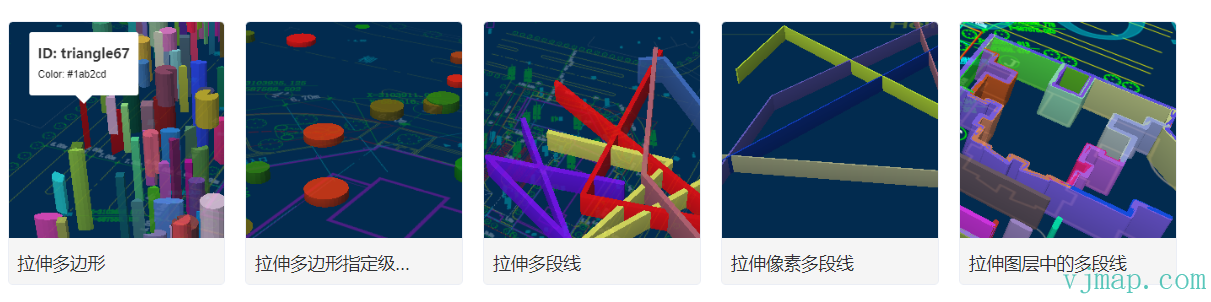
Extruded Polygons at Specified Zoom Level
Extruded Polylines from Map Layer
Type Definitions
/**
 * Create extruded polygons.
 *
 **/
export  class FillExtrusion extends OverlayLayerBase {
    options: FillExtrusionOptions;
    constructor(options: FillExtrusionOptions);
    addTo(map: Map, beforeId?: string): void;
    /** Replace the current data of the GeoJSON layer.
     @param {GeoJSON} [data] GeoJSON object to set. If not provided, defaults to an empty FeatureCollection.
     */
    setData(data: PointGeoJsonInput | PointGeoJsonInput[] | GeoJsonGeomertry | GeoPointLike | any): void;
    setFillExtrusionOpacity(value: PropertyValueSpecificationEx<number>): this;
    getFillExtrusionOpacity(): PropertyValueSpecificationEx<number>;
    setFillExtrusionColor(value: DataDrivenPropertyValueSpecification<ColorSpecification>): this;
    getFillExtrusionColor(): DataDrivenPropertyValueSpecification<ColorSpecification>;
    setFillExtrusionTranslate(value: PropertyValueSpecificationEx<[number, number]>): this;
    getFillExtrusionTranslate(): PropertyValueSpecificationEx<[number, number]>;
    setFillExtrusionTranslateAnchor(value: PropertyValueSpecificationEx<"map" | "viewport">): this;
    getFillExtrusionTranslateAnchor(): PropertyValueSpecificationEx<"map" | "viewport">;
    setFillExtrusionPattern(value: DataDrivenPropertyValueSpecification<ResolvedImageSpecification>): this;
    getFillExtrusionPattern(): DataDrivenPropertyValueSpecification<ResolvedImageSpecification>;
    setFillExtrusionHeight(value: DataDrivenPropertyValueSpecification<number>): this;
    getFillExtrusionHeight(): DataDrivenPropertyValueSpecification<number>;
    setFillExtrusionBase(value: DataDrivenPropertyValueSpecification<number>): this;
    getFillExtrusionBase(): DataDrivenPropertyValueSpecification<number>;
    setFillExtrusionVerticalGradient(value: PropertyValueSpecificationEx<boolean>): this;
    getFillExtrusionVerticalGradient(): PropertyValueSpecificationEx<boolean>;
}

export  type FillExtrusionLayerSpecification = {
    id: string;
    type: "fill-extrusion";
    metadata?: unknown;
    source: string;
    "source-layer"?: string;
    minzoom?: number;
    maxzoom?: number;
    filter?: FilterSpecification;
    layout?: {
        visibility?: "visible" | "none";
    };
    paint?: {
        "fill-extrusion-opacity"?: PropertyValueSpecificationEx<number>;
        "fill-extrusion-color"?: DataDrivenPropertyValueSpecification<ColorSpecification>;
        "fill-extrusion-translate"?: PropertyValueSpecificationEx<[number, number]>;
        "fill-extrusion-translate-anchor"?: PropertyValueSpecificationEx<"map" | "viewport">;
        "fill-extrusion-pattern"?: DataDrivenPropertyValueSpecification<ResolvedImageSpecification>;
        "fill-extrusion-height"?: DataDrivenPropertyValueSpecification<number>;
        "fill-extrusion-base"?: DataDrivenPropertyValueSpecification<number>;
        "fill-extrusion-vertical-gradient"?: PropertyValueSpecificationEx<boolean>;
    };
};

export  type FillExtrusionLayerStyleProp = {
    metadata?: unknown;
    source?: string;
    sourceLayer?: string;
    minzoom?: number;
    maxzoom?: number;
    filter?: FilterSpecification;
    visibility?: "visible" | "none";
    fillExtrusionOpacity?: PropertyValueSpecificationEx<number>;
    fillExtrusionColor?: DataDrivenPropertyValueSpecification<ColorSpecification>;
    fillExtrusionTranslate?: PropertyValueSpecificationEx<[number, number]>;
    fillExtrusionTranslateAnchor?: PropertyValueSpecificationEx<"map" | "viewport">;
    fillExtrusionPattern?: DataDrivenPropertyValueSpecification<ResolvedImageSpecification>;
    fillExtrusionHeight?: DataDrivenPropertyValueSpecification<number>;
    fillExtrusionBase?: DataDrivenPropertyValueSpecification<number>;
    fillExtrusionVerticalGradient?: PropertyValueSpecificationEx<boolean>;
};

export  interface FillExtrusionOptions extends OverlayLayerBaseOptions {
    data: PointGeoJsonInput | PointGeoJsonInput[] | GeoJsonGeomertry | GeoPointLike | any;
    fillExtrusionOpacity?: PropertyValueSpecificationEx<number>;
    fillExtrusionColor?: DataDrivenPropertyValueSpecification<ColorSpecification>;
    fillExtrusionTranslate?: PropertyValueSpecificationEx<[number, number]>;
    fillExtrusionTranslateAnchor?: PropertyValueSpecificationEx<"map" | "viewport">;
    fillExtrusionPattern?: DataDrivenPropertyValueSpecification<ResolvedImageSpecification>;
    fillExtrusionHeight?: DataDrivenPropertyValueSpecification<number>;
    fillExtrusionBase?: DataDrivenPropertyValueSpecification<number>;
    fillExtrusionVerticalGradient?: PropertyValueSpecificationEx<boolean>;
}

export  class OverlayLayerBase {
    sourceId?: string;
    layerId?: string;
    _map?: Map;
    constructor();
    addTo(map: Map, beforeId?: string): void;
    /**
     * Get source ID
     * @return {string | undefined}
     */
    getSourceId(): string | undefined;
    /**
     * Get layer ID
     * @return {string | undefined}
     */
    getLayerId(): string | undefined;
    /**
     * Get source data
     * @return {GeoJsonGeomertry | undefined}
     */
    getData(): GeoJsonGeomertry | undefined;
    remove(): void;
    /** Set the map cursor to "pointer" whenever the mouse hovers over these layers.
     @returns A function to remove the handler.
     * @param layerOrLayers
     */
    hoverPointer(): void;
    /**
     Whenever the mouse hovers over a feature in these layers, update the feature state of the feature in the connected source.
     * @param enterCb
     * @param leaveCb
     */
    hoverFeatureState(enterCb?: (arg0: {}) => void, leaveCb?: (arg0: {}) => void): void;
    /** Display a popup when the mouse hovers over a feature in these layers.
     @param htmlFunc Function that receives feature and popup, returns HTML.
     @param {Object<PopupOptions>} popupOptions Options passed to `Popup()` to customise popup.
     @example hoverPopup(f => `<h3>${f.properties.Name}</h3> ${f.properties.Description}`, { anchor: 'left' });
     */
    hoverPopup(htmlFunc: any, popupOptions?: PopupOptions): any;
    /** Display a popup whenever a feature in these layers is clicked.
     @param htmlFunc Function that receives feature and popup, returns HTML.
     @param {Object<PopupOptions>} popupOptions Options passed to `Popup()` to customise popup.

     @returns A function that removes the handler.
     @example clickPopup(f => `<h3>${f.properties.Name}</h3> ${f.properties.Description}`, { maxWidth: 500 });

     */
    clickPopup(htmlFunc: (arg0: {}) => void, popupOptions?: PopupOptions): any;
    /** Trigger callback whenever a feature in these layers is clicked.
     @param {function} cb Callback that receives event with .features property
     @returns A function that removes the handler.
     */
    clickLayer(cb: any): any;
    /** Trigger callback when mouse hovers over a feature in these layers.
     @returns A function to remove the handler.
     */
    hoverLayer(cb: any): any;
    /**
     * Make the given layer visible.
     * @param layer
     */
    show(): void;
    /**
     * Make the given layer invisible.
     * @param layer
     */
    hide(): void;
    /** Hide or show the given layer based on the parameter.
     @param {boolean} state True for visible, false for hidden.
     */
    toggle(state: boolean): boolean;
    /** Set paint or layout properties on one or more layers.
     @example setProperty('fillOpacity', 0.5)
     */
    setProperty(prop: string | object, value?: any): void;
    /** Get the layer definition for the given layer ID according to the style specification.
     */
    getLayerStyle(): LayerSpecification;
    /**
     * Set layer style
     * @param layer
     * @param style
     */
    setLayerStyle(style: any): void;
    /** Replace the filter of a layer.
     @param {Array} filter New filter to set.
     @example setFilter(['==','level','0']]);
     */
    setFilter(filter: FilterSpecification): void;
}

export  interface OverlayLayerBaseOptions {
    sourceId?: string;
    sourceLayer?: string;
    layerId?: string;
    minzoom?: number;
    maxzoom?: number;
    filter?: any;
    visibility?: "visible" | "none";
    isHoverPointer?: boolean;
    isHoverFeatureState?: boolean;
}
Was this page helpful?Thanks for the feedback!