---
title: 新建修改CAD图形
source: https://vjmap.com/guide/newmap.html
---
# 新建修改CAD图形
## 支持的CAD实体类型
|类名称|说明|
|:---|:---|
|DbLine|直线|
|DbCurve|曲线|
|Db2dPolyline|二维折线|
|Db3dPolyline|三维多段线|
|DbPolyline|多段线|
|BlockReference|块参照|
|DbArc|圆弧|
|DbCircle|圆|
|DbEllipse|椭圆|
|DbHatch|填充|
|Text|单行文本|
|DbMText|多行文本|
|RasterImage|栅格图片|
|DbShape|型实体|
|Spline|样条曲线|
|Wipeout|遮罩实体|
|Dimension|标注|
|Db2LineAngularDimension|角度标注[两条线]|
|Db3PointAngularDimension| 角度标注[三点]|
|DbAlignedDimension|对齐标注|
|DbArcDimension|圆弧标注|
|DbDiametricDimension|直径标注|
|DbOrdinateDimension|坐标标注|
|DbRadialDimension|半径标注|
|DbRadialDimensionLarge|半径折线标注|
|DbRotatedDimension|转角标注|
|DbAttributeDefinition |属性注记|
|DbTable |表格|
|DbMLeader |引线标注|
|DbSolid |实线实体|
|DbLayer|图层|
|DbTextStyle|文字样式|
|DbDimStyle|标注样式|
|DbLinetypeStyle|线型样式|
|DbBlock|块定义|
|DbDocument|数据库文档|
## 新建图形示例
## 新建图形代码
```js
(async () => {
// --新建地图--在后台新建CAD图,然后在前端打开
// js代码
let svc = new vjmap.Service(env.serviceUrl, env.accessToken)
let doc = new vjmap.DbDocument();
let entitys = [];
let line1 = new vjmap.DbLine();
line1.start = [0, 0]
line1.end = [0, 15]
entitys.push(line1)
let line2 = new vjmap.DbLine();
line2.start = [0, 14.1]
line2.end = [2.99, 14.1]
entitys.push(line2)
let line3 = new vjmap.DbLine();
line3.start = [0, 0.9]
line3.end = [2.99, 0.9]
entitys.push(line3)
let line4 = new vjmap.DbLine();
line4.start = [0, 9.95]
line4.end = [5.8, 9.95]
entitys.push(line4)
let line5 = new vjmap.DbLine();
line5.start = [0, 5.05]
line5.end = [5.8, 5.05]
let hatch = new vjmap.DbHatch();
hatch.pattern = "SOLID";
hatch.color = 0xB43F32;
hatch.points = [line4.start, line4.end, line5.end, line5.start];
entitys.push(hatch);
entitys.push(line4)
entitys.push(line5)
let line6 = new vjmap.DbLine();
line6.start = [5.8, 5.05]
line6.end = [5.8, 9.95]
entitys.push(line6)
let arc1 = new vjmap.DbArc();
arc1.center = [5.7963, 7.504];
arc1.radius = 1.8014;
arc1.startAngle = 270 * Math.PI / 180.0;
arc1.endAngle = 90 * Math.PI / 180.0;
entitys.push(arc1)
let arc2 = new vjmap.DbArc();
arc2.center = [5.7963, 7.504];
arc2.radius = 1.8014;
arc2.startAngle = 90 * Math.PI / 180.0;
arc2.endAngle = 270 * Math.PI / 180.0;
//arc2.linetype = "DASHED"
entitys.push(arc2)
let arc3 = new vjmap.DbArc();
arc3.center = [1.575, 7.5];
arc3.radius = 6.75;
arc3.startAngle = 282 * Math.PI / 180.0;
arc3.endAngle = 78 * Math.PI / 180.0;
entitys.push(arc3)
let block = new vjmap.DbBlock();
block.name = "ball";
block.origin = [0, 0]
block.entitys = entitys;
doc.appendBlock(block);
let blockRef1 = new vjmap.DbBlockReference();
blockRef1.blockname = "ball";
blockRef1.position = [0, 0];
doc.appendEntity(blockRef1);
let blockRef2 = new vjmap.DbBlockReference();
blockRef2.blockname = "ball";
blockRef2.position = [28, 15];
blockRef2.rotation = Math.PI;
doc.appendEntity(blockRef2);
let otherEnts = [
new vjmap.DbLine({
start: [0, 15],
end: [28, 15]
}),
new vjmap.DbLine({
start: [0, 0],
end: [28, 0]
}),
new vjmap.DbLine({
start: [14, 0],
end: [14, 15],
colorIndex: 1
}),
new vjmap.DbCircle({
center:[14, 7.5],
radius: 1.83,
color: 0xFF0000
}),
new vjmap.DbText({
position: [14, 16],
contents: "篮球场示意图",
colorIndex: 1,
horizontalMode: 4,
height: 1,
})
]
doc.appendEntity(otherEnts);
// js代码
let res = await svc.updateMap({
mapid: "basketballCourt",
filedoc: JSON.stringify(doc),
mapopenway: vjmap.MapOpenWay.Memory,
style: vjmap.openMapDarkStyle() // div为深色背景颜色时,这里也传深色背景样式
})
if (res.error) {
message.error(res.error)
}
let mapExtent = vjmap.GeoBounds.fromString(res.bounds);
let prj = new vjmap.GeoProjection(mapExtent);
var map = new vjmap.Map({
container: 'map', // container ID
style: svc.rasterStyle(),
center: prj.toLngLat(mapExtent.center()),
zoom: 2,
renderWorldCopies: false
});
map.attach(svc, prj);
map.fitMapBounds();
map.addControl(new vjmap.NavigationControl());
map.addControl(new vjmap.MousePositionControl({showZoom: true}));
map.enableLayerClickHighlight(svc, e => {
e && message.info(`type: ${e.name}, objectid: ${e.objectid}, layer: ${e.layerindex}`);
})
})();
```
## 在现有图形上修改或新增删除
```js
let doc = new vjmap.DbDocument();
/** 来源于哪个图,会在此图的上面进行修改或新增删除,格式如 形式为 mapid/version,如 exam/v1 . */
doc.from = "basketballCourt/v1";
// 修改或删除实体是通过传递 `objectid` 实体句柄,如果没有 `objectid` 则表示新增
let modifyEnts = [
/*修改*/
new vjmap.DbCircle({
objectid: "71",// 实体句柄,如传了实体句柄,是表示修改或删除此实体.
colorIndex: 2
}),
/*删除*/
new vjmap.DbText({
objectid: "73",// 实体句柄,如传了实体句柄,是表示修改或删除此实体.
delete: true // 表示删除
}),
/*新增(没有传 objectid )*/
new vjmap.DbMText({
position: [14, -2],
contents: "我是多行文本",
colorIndex: 3,
attachment: 2,
height: 1,
})
]
doc.appendEntity(modifyEnts);
// js代码
let res = await svc.updateMap({
mapid: "newBasketballCourt",
filedoc: JSON.stringify(doc),
mapopenway: vjmap.MapOpenWay.Memory,
style: vjmap.openMapDarkStyle() // div为深色背景颜色时,这里也传深色背景样式
})
```
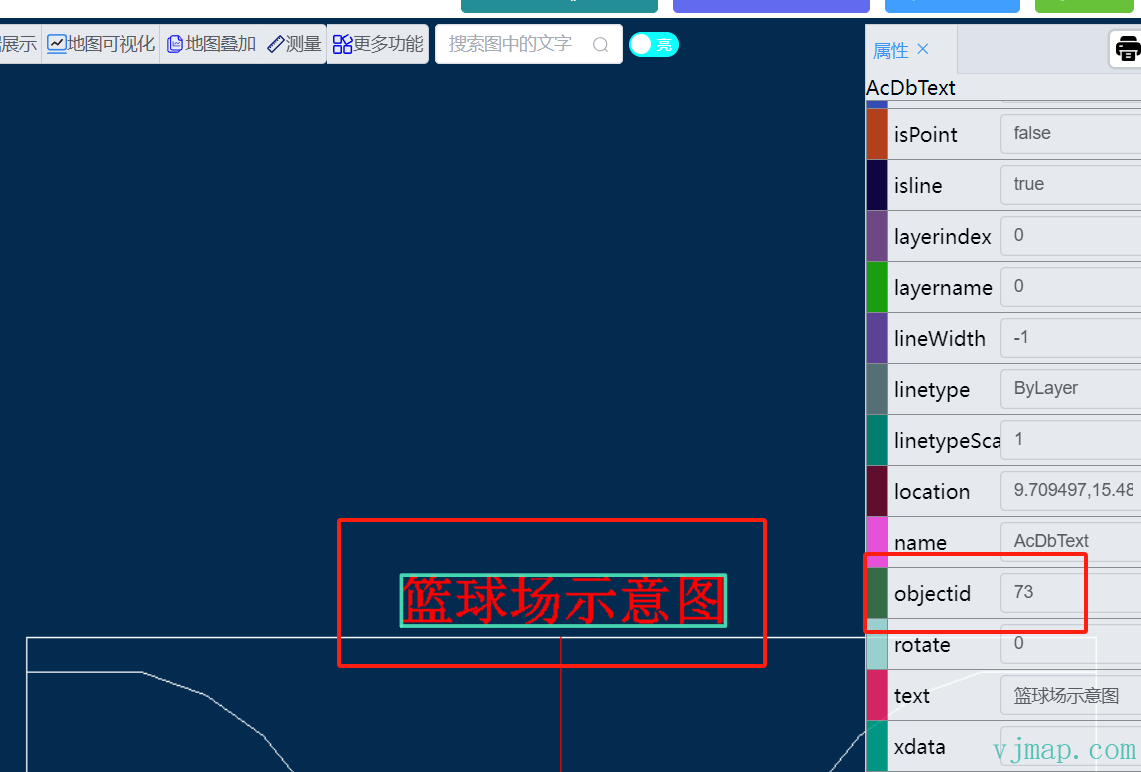
### `objectid` 的获取
进入[唯杰地图云端管理平台](https://vjmap.com/app/cloud/#/),以`内存方式`打开图形
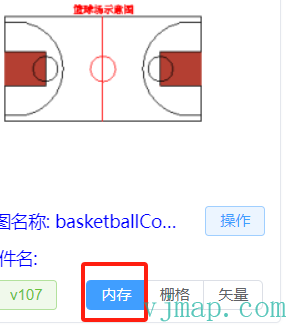
点击所要查看实体,在右侧属性栏中获取此实体的`objectid`
## 后台通过rest请求创建图形
具体文档可查看 [地图服务REST接口创建或打开图形](/guide/restinterface.html#%E5%88%9B%E5%BB%BA%E6%88%96%E6%89%93%E5%BC%80%E5%9B%BE%E5%BD%A2)
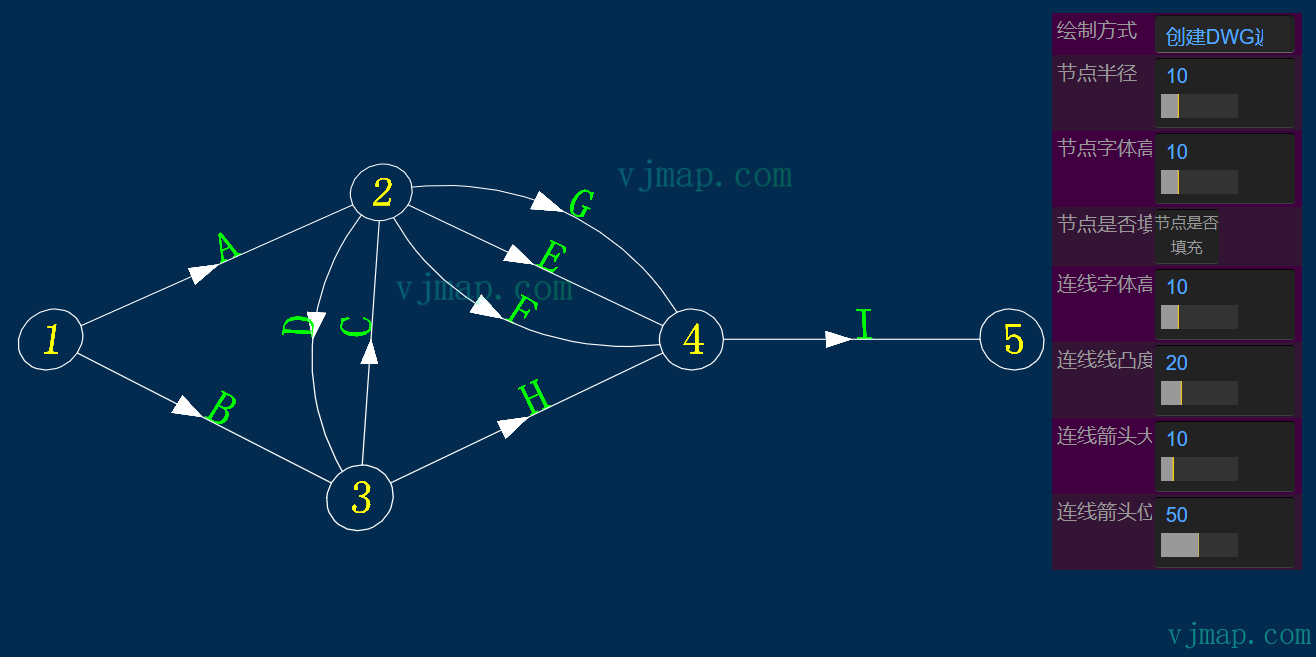
## 通过几何模型创建复杂图形
[几何模型介绍](/guide/geomodel.html)
如通过几何模型创建网络拓扑图示例
[网络拓扑图](https://vjmap.com/demo/#/demo/map/models/08networktop)
## JSON格式创建、修改、删除图形
**用法示例**
```js
var data = {
"from": "", /** 来源于哪个图,会在此图的上面进行修改或新增删除,格式如 形式为 mapid/version,如 exam/v1 . */
"layers": [
{
"name": "test",
"color": 1
}
],
"textStyles": [
{
"name": "mytext",
"isShapeFile": false,
"textSize": 0.0,
"xScale": 1.0,
"priorSize": 22,
"obliquingAngle": 0.0,
"fileName": "VERDANA.TTF",
"typeFace": "Verdana",
"bold": false,
"italic": false,
"charset": 0,
"pitchAndFamily": 34
}
],
"dimStyles": [
{
"name": "mydimstyle",
"textStyle": "mytext",
"dimsah": true,
"dimblk1": "_OBLIQUE",
"dimblk2": "_DOT"
}
],
"linetypes": [
{
"name": "mylinetype",
"comments": "--|----",
"style": [
{
"method": "numDashes",
"parameter": 6
},
{
"method": "patternLength",
"parameter": 1.8
},
{
"method": "dashLengthAt",
"parameter": [0, 0.5]
},
{
"method": "dashLengthAt",
"parameter": [1, -0.2]
},{
"method": "dashLengthAt",
"parameter": [2, -0.2]
},
{
"method": "dashLengthAt",
"parameter": [3, 0.5]
},
{
"method": "dashLengthAt",
"parameter": [4, -0.2]
},
{
"method": "dashLengthAt",
"parameter": [5, -0.2]
},
{
"method": "shapeStyleAt",
"parameter": [1, "Standard"]
},
{
"method": "shapeOffsetAt",
"parameter": [1, [-0.1,-0.05]]
},
{
"method": "textAt",
"parameter": [1, "HW"]
},
{
"method": "shapeScaleAt",
"parameter": [1, 0.5]
},{
"method": "shapeStyleAt",
"parameter": [4, "Standard"]
},
{
"method": "shapeOffsetAt",
"parameter": [4, [-0.1,-0.05]]
},
{
"method": "shapeNumberAt",
"parameter": [4, 131]
},
{
"method": "shapeScaleAt",
"parameter": [4, 0.2]
},
{
"method": "shapeRotationAt",
"parameter": [4, 3.1415926]
}
]
}
],
"blocks": [
{
"name": "myblock",
"origin": [10, 10],
"entitys": [
{
"typename": "DbCircle",
"center": [10, 10],
"radius": 20,
"colorIndex": 1
},
{
"typename": "DbSpline",
"fitPoints": [[0,0],[20,10],[30, 0]],
"colorIndex": 2
}
]
}
],
"entitys": [
{
"typename": "DbLine",
"start": [10, 5],
"end": [2000,3000],
"matrix": [
{
"op": "rotate",
"angle": 1.5,
"origin": [2000, 3000]
},
{
"op": "scale",
"scale": 20,
"origin": [2000, 3000]
},
{
"op": "translation",
"vector": [2000, 3000]
}
],
"layer": "test",
"linetype": "mylinetype"
},
{
"objectid": "340", // 表示修改
"colorIndex": 1,
"layer": "test"
},
{
"objectid": "33F",
"delete": true // 表示删除
},
{
"typename": "DbBlockReference",
"blockname": "myblock",
"position": [200,300],
"rotation": 3.14,
"scaleFactors": [2,3]
},
{
"typename": "DbBlockReference",
"ref": "c43eacd46047/v1",
"position": [500, 1000],
"rotation": 1.7,
"scaleFactors": [1,1]
},
{
"typename": "DbText",
"position": [1000,1000],
"contents": "Text",
"height": 100,
"horizontalMode": 4
},
{
"typename": "Db3PointAngularDimension",
"dimStyle": "mydimstyle",
"arcPoint": [1200,1200],
"centerPoint": [1000,1000],
"xLine1Point": [500,700],
"xLine2Point": [800,1500]
},
{
"typename": "DbRasterImage",
"sourceHttpUrl": "http://xxx/xx.jpg",
"position": [200, 500],
"pixelWidth": 440,
"pixelHeight": 220,
"width": 300,
"height": 150
}
]
}
let doc = new vjmap.DbDocument();
let fileDoc = doc.toDoc(data);
// js代码
let res = await svc.updateMap({
mapid: "your_map_id",
filedoc: fileDoc,
mapopenway: vjmap.MapOpenWay.Memory,
style: vjmap.openMapDarkStyle() // div为深色背景颜色时,这里也传深色背景样式
})
```